You've just received a sensitive document from a source, need to coordinate a legal matter with a client, or have a password that shouldn't sit in an ordinary email thread. The question sounds simple: how to send encrypted messages. The practical answer depends on how long the conversation must survive, whether the recipient's identity is known, and what happens if a device or key is lost.
Encryption protects message content while it travels and, in a properly designed end-to-end system, keeps intermediaries from reading it. It doesn't automatically protect the devices, identities, metadata, backups, screenshots, or human assumptions around that message. The workflow matters as much as the cipher.
What Sending an Encrypted Message Actually Means
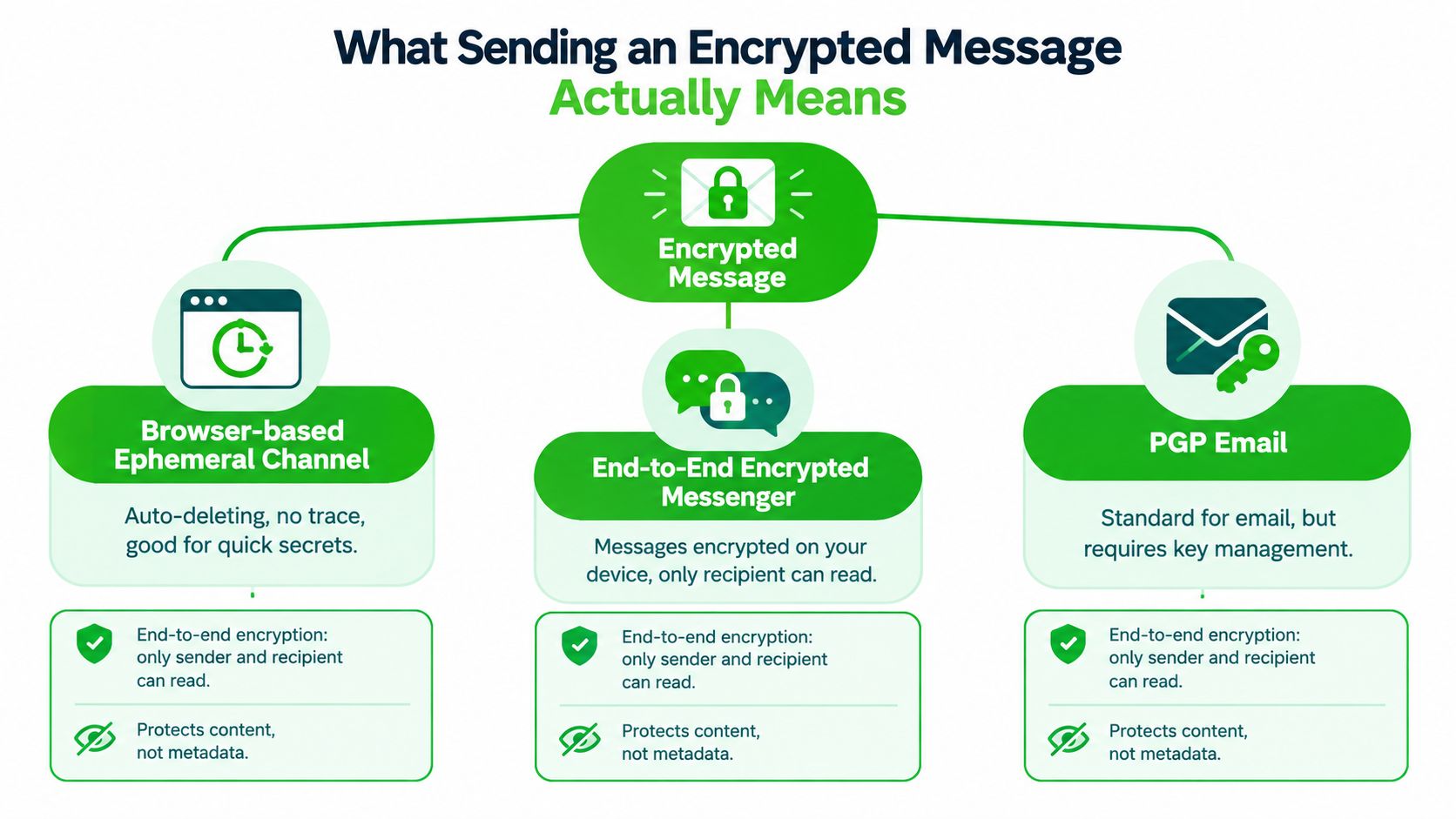
There are three useful workflows. A browser-based ephemeral channel is designed for a short exchange that should disappear rather than become a permanent record. An end-to-end encrypted messenger supports an ongoing conversation, usually with device sessions, contact verification, and disappearing-message controls. PGP email provides durable, signed and encrypted correspondence, but it demands more deliberate key management.
All three rely on the same discipline. Key derivation is the point at which a passphrase becomes usable cryptographic key material. A secure key exchange means establishing the recipient's key before sensitive content leaves your device. Verification means checking that the key belongs to the person you intend to reach, rather than trusting a profile name, email address, or provider alone.
Learn what an encrypted message protects before choosing a tool. The critical boundary is simple: encryption conceals content, not necessarily the fact that communication happened. A provider may still observe timing, account relationships, device information, or traffic patterns, depending on the system.
The shared operating rules
Use a passphrase that resists guessing, send access material through a separate channel, verify fingerprints out of band, and set an expiry appropriate to the information. These are user habits, not magic properties supplied by an app.
A practical protocol example uses an identity key, a signed pre-key, and a one-time pre-key. The sender creates an ephemeral key pair, derives a shared secret with ECDH, and encrypts the first message. The one-time pre-key supports forward secrecy because it's consumed once, while the identity key remains on the device. In the described model, the resulting message key is an 80-byte value, illustrating that secure messaging normally uses layered key material rather than one permanent secret (technical analysis of the handshake).
Sending Encrypted Messages in a Browser Channel
A browser channel works well when you need a fast, identity-light exchange and don't need a permanent archive. Open the channel tool, write the message, and add a passphrase if the workflow supports one. The sender receives two separate artifacts, normally a shareable link and an access key.
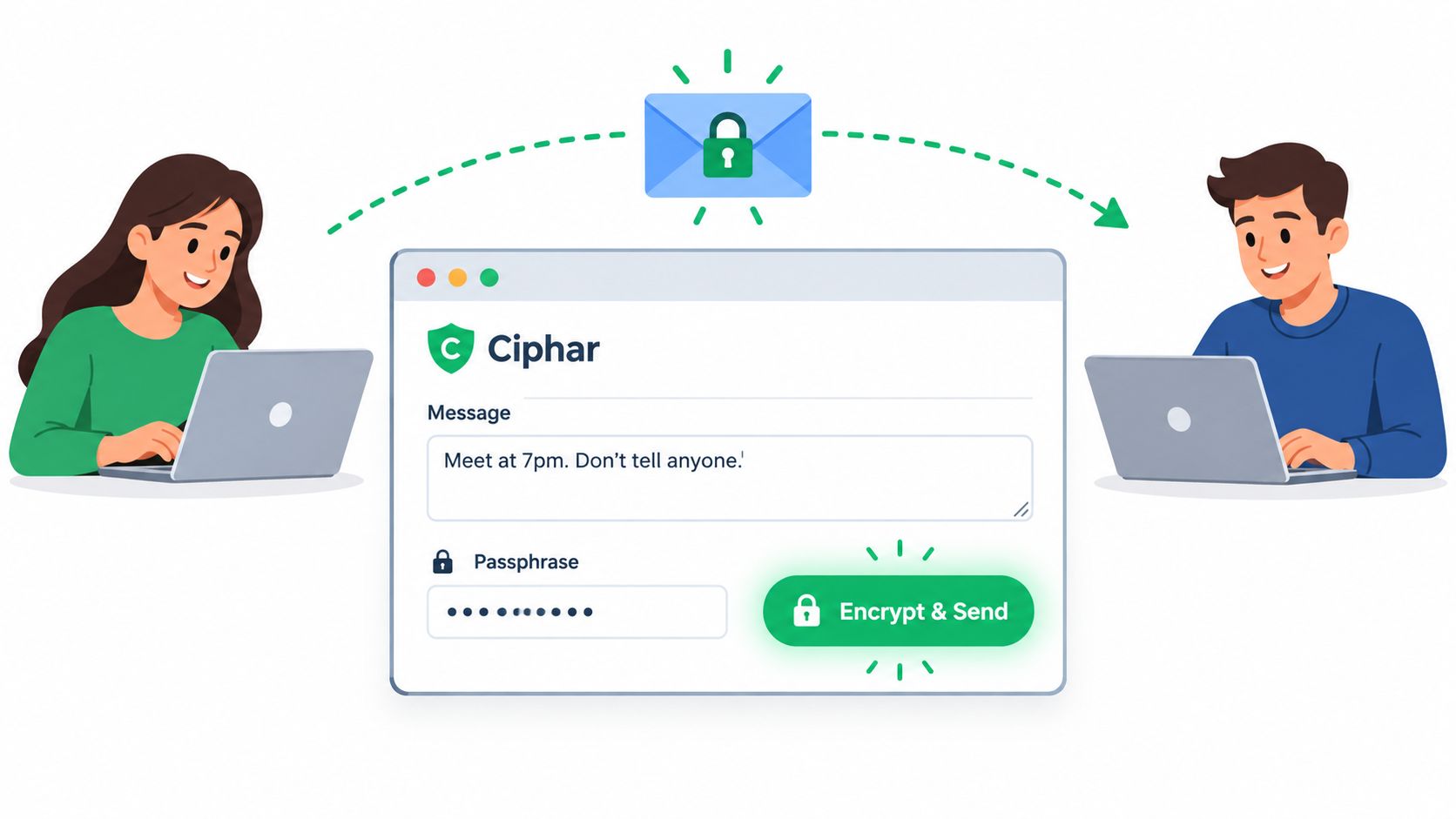
The separation is important. The link identifies where the encrypted payload can be retrieved, while the access key supplies the secret needed to open it. Send them through different channels, such as the link by email and the key through a voice call or a separately verified messenger. Sending both in one ordinary message turns a two-part control into one intercepted package.
What happens before upload
The browser should encrypt the message locally before transmission. For a Ciphar-style implementation, the passphrase is processed through a memory-hard key derivation process, and the resulting material protects the message encryption key. An attached file follows the same principle: it's encrypted client-side before being uploaded, rather than sent to the relay as readable content.
A sound ephemeral workflow also defines its destruction rules in advance. The channel can enforce a 60-minute lifetime, limit access or viewing, and burn the message after it has been read. A manual burn control is useful when the sender notices a wrong recipient, a compromised device, or an unexpected access attempt. The trade-off is irreversible loss. There's no recovery path for a message that has expired or been destroyed.
Compose only what the recipient needs. Avoid placing additional secrets in the surrounding email or chat used to deliver the link. If the recipient must reply, they open the link, provide the access key, decrypt locally, and use the same channel if a reply function is available.
The browser workflow is convenient, but it isn't an ongoing identity system. Confirm the recipient independently before sharing the access key, and remember that the browser, operating system, and recipient's screen remain part of the threat model.
For a fuller walkthrough of browser-based exchanges, see secure web messaging with short-lived channels.
Sending Encrypted Messages on Signal and Matrix-Style Apps
An end-to-end encrypted messenger is the practical choice for an ongoing conversation, but setup isn't complete when the lock icon appears. Create the account with the required phone number or account identifier, enable registration protection where available, and choose a strong device PIN. Then invite the contact, accept the conversation, and verify the identity attached to the session.
In Signal, that usually means comparing the safety number in person or over another trusted channel. Matrix-style clients use device and session keys, often represented through a fingerprint or verification flow. An unverified contact may still have encrypted traffic, but you haven't confirmed who controls the other endpoint. That distinction matters for journalists, lawyers, and anyone handling impersonation risks.
A practical messenger routine
Before sending sensitive text, verify the contact and review active sessions. Use disappearing-message timers when the conversation shouldn't remain indefinitely, but don't mistake deletion controls for protection against screenshots, photography, or a compromised endpoint. For attachments, consider whether a blurred preview, separate file encryption, or a different delivery channel is appropriate.
When a contact adds a device, treat the event as a security decision. Re-verify the identity, inspect the session list, and rotate the conversation if the new device is unexpected. If a phone is lost, revoke its sessions and warn the contact through a trusted route before continuing.
| Feature | Signal | Matrix-style clients |
|---|---|---|
| Identity model | Commonly tied to a phone number and safety-number verification | Account and device identities, with client-dependent verification |
| Device changes | Re-verification is needed when safety information changes | Review and verify new sessions or devices |
| Conversation style | Direct messaging and groups with disappearing-message controls | Federated rooms and multiple client options |
| Main trade-off | Straightforward workflow, but phone and device continuity matter | Flexible architecture, but client and server choices add complexity |
Encrypted messengers became practical at global scale after years of protocol development, app integration, and formal scrutiny. The Signal Protocol originated from work by Open Whisper Systems in 2013, with the first Signal iOS app shipping in 2014, the Android app taking the Signal name in 2015, and the protocol receiving that name in 2016 (academic protocol analysis). That history explains why mature implementations can offer forward secrecy and session management, but it doesn't remove the need for verification.
For broader selection criteria, compare encrypted messaging apps and their security models.
Sending Encrypted Messages Over PGP Email
PGP email is the most deliberate of the three workflows. It suits correspondence that must remain verifiable, signable, and readable over time, especially when a recipient may change devices or lose access to a messenger history.
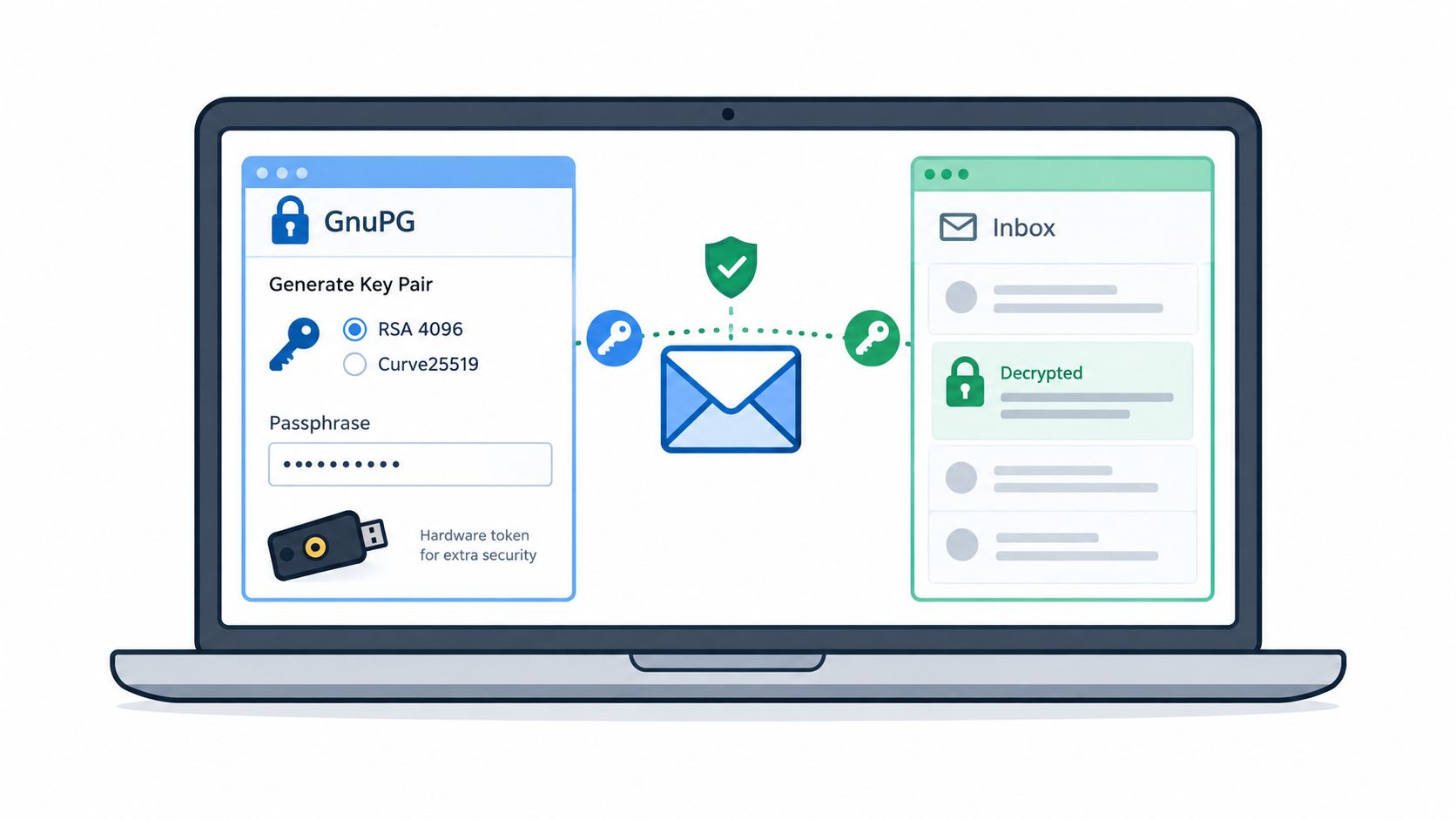
Start by generating a key pair with GnuPG or a hardware-backed alternative. Choose a modern configuration appropriate to your environment, such as RSA 4096 or Curve25519, protect the private key with a strong passphrase, and publish only the public key. A website or keyserver can distribute that public key, but publication doesn't prove that the key belongs to the intended person.
Verify first, then encrypt
Import the correspondent's public key and compare its full fingerprint over the phone, in person, or through another trusted channel. Don't rely on a short key ID or an address-book match. Once the fingerprint matches, record the trust decision in your local key management process.
PGP supports two different operations. A signature lets the recipient check that the message came from the holder of the private key and wasn't altered. Encryption protects the content for the recipient's public key. In a GnuPG workflow, the message is signed and encrypted together, while an attachment must also be included in the encryption operation. If you encrypt the body but leave the file outside that operation, the attachment remains exposed.
The recipient uses their private key and passphrase to decrypt the message and validate the signature. Ordinary webmail generally can't perform that operation by itself. A local integration such as GPG-Agent or a compatible mail client can provide the cryptographic layer, but it also creates setup and maintenance work for both parties.
Keep the key lifecycle usable
Set an expiry date, maintain an offline revocation certificate, and distribute the revocation information through a trusted route if the private key is compromised. Revoke old or exposed keys instead of switching to a replacement and hoping correspondents notice. Keep the private key off untrusted shared storage, and make sure your recovery plan doesn't create an unencrypted copy.
PGP's strength is durable authenticity and recipient-controlled decryption. Its weakness is operational friction. Subject lines, addresses, routing information, and other email metadata generally remain outside message encryption, so users must avoid putting confidential details in those fields.
What Encryption Does Not Hide and Why Habits Matter
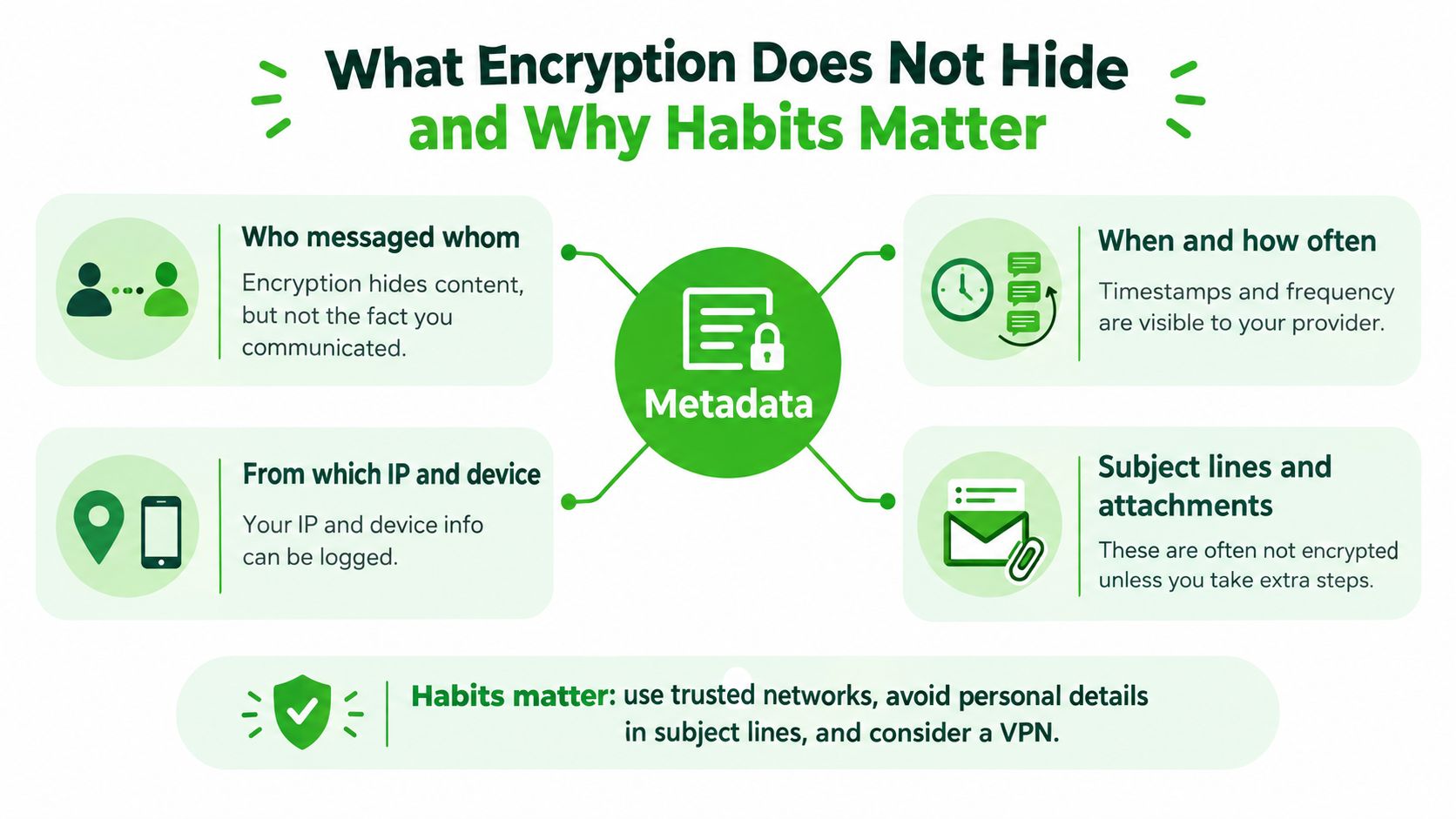
End-to-end encryption hides the message payload from the service relaying it. It doesn't make the conversation invisible. Depending on the platform, observers may still learn who communicated, when the exchange occurred, how frequently messages were sent, which device participated, or where traffic originated.
PGP email has an especially clear limitation. The subject line is normally outside the encrypted body, as are routing details and recipient addresses. A harmless-looking subject line isn't a privacy control if it identifies a case, source, diagnosis, or legal matter.
The endpoint decides the outcome
A compromised phone can capture a message before encryption or after decryption. Malware, a malicious keyboard, stolen session tokens, cloud backups, screen observation, and screenshots all bypass the protection offered to the message while it travels. A secure channel can't repair an untrusted operating system.
Research involving 1,510 participants and 31 interviews found that people used end-to-end encrypted tools while lacking confidence about how those tools protected privacy (user understanding study). The operational lesson is to secure the device first, disable unnecessary backups, limit third-party application access, and verify identities instead of trusting a provider's reputation.
Short passphrases and reused passwords create another failure path. Don't sync private key files into consumer cloud storage without understanding the exposure, and don't leave decrypted exports in downloads folders or shared workspaces.
Practical rule: Treat an encrypted channel as compromised when a device is lost, stolen, rooted, or accessed by someone you don't trust.
For sensitive work, use separate identities where appropriate, keep devices updated, hide lock-screen previews, use screen privacy in public, and delete material that no longer needs to exist. Encryption shifts risk from the transport layer toward identity, endpoints, storage, and habits. It doesn't eliminate risk.
Choosing the Right Method for Your Situation
Choose based on the message's lifespan and failure mode, not on the presence of a lock icon. A short-lived browser channel fits first contact or quick coordination when the parties don't want to exchange phone numbers or create a durable account. An ongoing messenger fits a relationship that requires regular conversation and verified device sessions. PGP email fits a record that must remain independently verifiable.
| Use Case | Best Method | Why | Key Trade-off |
|---|---|---|---|
| First contact with a confidential source | Browser ephemeral channel | Quick access without a long-lived identity exchange | Expiry is permanent, so recovery isn't available |
| Ongoing lawyer-client conversation | Signal or a Matrix-style messenger | Verified sessions and continuing communication | Device replacement requires session review and re-verification |
| Team or room-based sensitive coordination | Matrix-style client | Flexible rooms and multiple client options | Configuration and trust decisions can be more complex |
| Source intake requiring durable authenticity | PGP email | Messages can be signed, archived, and checked later | Key exchange and mail-client setup create friction |
| Short-lived incident coordination | Browser ephemeral channel | The channel can expire after the operational need ends | It isn't a long-term collaboration archive |
Ciphar is one browser-based option for identity-free, short conversations. It encrypts messages, files, replies, edits, and voice frames client-side with AES-256-GCM, uses a browser-based PBKDF2 derivation process with a per-channel salt, and enforces a 60-minute channel lifetime. Its relay stores opaque encrypted material rather than a readable conversation, but the same browser and endpoint limitations still apply.
A burnt browser channel can't be restored. A lost messenger device may remove access to local history and require a new trust check. A PGP key without a preserved revocation certificate can leave correspondents unsure how to handle a compromised identity.
The right method is the one whose failure mode you've already considered.
Don't use an ephemeral channel when the matter requires a retained legal record. Don't use PGP for a rushed exchange if neither party can verify keys safely. Don't treat a messenger as sufficient for a compromised phone. Match the tool to the adversary, the shelf life, and the consequences of disclosure.
Threat-Model Checklist and Quick Troubleshooting
Before sending anything, answer five questions in writing or in your team's operating procedure:
- Who is the adversary? Is the concern a curious intermediary, a compromised provider, a targeted attacker, an abusive partner, or a state-level investigator?
- Which device might they control? Include the sender's phone, the recipient's laptop, shared browsers, backups, and notification surfaces.
- How long must the message survive? Use expiry for short-lived coordination and a signed, managed archive when the record must remain available.
- What happens if a key leaks? Decide how you'll revoke, rotate, notify the other party, and verify the replacement.
- Do backups undermine the channel? Check cloud sync, local exports, screenshots, attachments, and mail archives before assuming deletion worked.
Troubleshooting common failures
| Failure | Immediate fix |
|---|---|
| The wrong key was used | Stop the exchange, verify the full fingerprint, and re-encrypt the message for the correct recipient |
| A device was lost | Revoke sessions, create new safety information, and warn the contact through a trusted channel |
| A contact or key was revoked | Stop using that channel and rotate the conversation after independent verification |
| A browser link expired | Treat the message as gone by design and re-issue it through a separately verified route |
| The recipient can't decrypt | Confirm the application, key version, attachment handling, and whether the private key is available locally |
| A message appears unexpectedly on another device | Audit sessions and backups before sending more sensitive material |
Test the workflow periodically, especially after operating-system updates, device replacement, changes to mail clients, or a new contact's identity transition. A written recovery plan is more valuable than a theoretical promise of secrecy.
The strongest practice is repetitive and unglamorous: verify before disclosure, separate keys from links, minimize the message, secure endpoints, and know when the conversation should disappear. Encryption works when people treat it as an operating habit rather than a one-time setting.
Use Ciphar for short-lived browser conversations where client-side encryption, separate access keys, and enforced expiry fit the threat model. Review its documented workflow, create a channel only when its irreversible lifetime is acceptable, and visit Ciphar to start with a concrete, privacy-focused exchange.