You can send a text message to yourself by entering your own phone number in your default SMS app, or by using the “Message Yourself” feature in WhatsApp and iMessage. SMS traffic reached approximately 366 billion messages in 2002 and about 6.1 trillion in 2010, showing how a simple phone-number-based workflow became practical at global scale (SMS history).
You're probably considering it because you need to move a link from your laptop to your phone, save a fleeting reminder, or check whether messages are reaching your handset. Self-texting works well for those small jobs. It becomes a poor choice when you treat the conversation as a secure vault, because carrier metadata, notification previews, backups, and linked devices can preserve or expose what you thought was private.
Sending a Message to Your Own Number
The fastest method works on almost any phone. Open the default SMS application, create a new message, enter your complete phone number in the recipient field, write a short note, and tap send. If your phone recognizes your own number, it may display your saved contact card instead. Selecting that card reduces the risk of mistyping a digit.
On an iPhone, open Messages, tap the compose icon, and enter your own number or Apple contact card under “To.” Type the note and send it. Some iMessage configurations may show a dedicated Message Yourself contact or conversation, but the number-based method remains the dependable fallback when contact syncing behaves unpredictably.
Android menus vary by manufacturer, but the path is usually similar: open Google Messages or the phone's messaging app, tap Start chat, enter your own number, and send. Save your number as a contact named something unmistakable, such as “My Notes,” if you use this workflow regularly. A clear name helps prevent accidental messages to a similarly named person.
App-specific routes
WhatsApp offers a dedicated self-chat. Open a new conversation, search for your own name or number, and choose Message Yourself. Telegram provides a personal notes space, commonly labeled Saved Messages, where you can send text, links, and attachments to your own account.
Use SMS when you need carrier-level delivery testing or when the recipient device may not share your preferred app. Use WhatsApp or Telegram when you want richer media handling and easier access from linked devices. Neither option should automatically be treated as confidential storage.
Practical rule: Send yourself a short, recognizable marker first. It makes the conversation easy to find and confirms that you selected the intended recipient.
Self-texting is also useful when you need to preserve a temporary note rather than schedule a future message. For time-specific reminders, use a dedicated reminder or scheduling workflow such as this guide to sending a text at a certain time, then keep self-messaging for immediate capture.
Practical Use Cases for Self Messaging
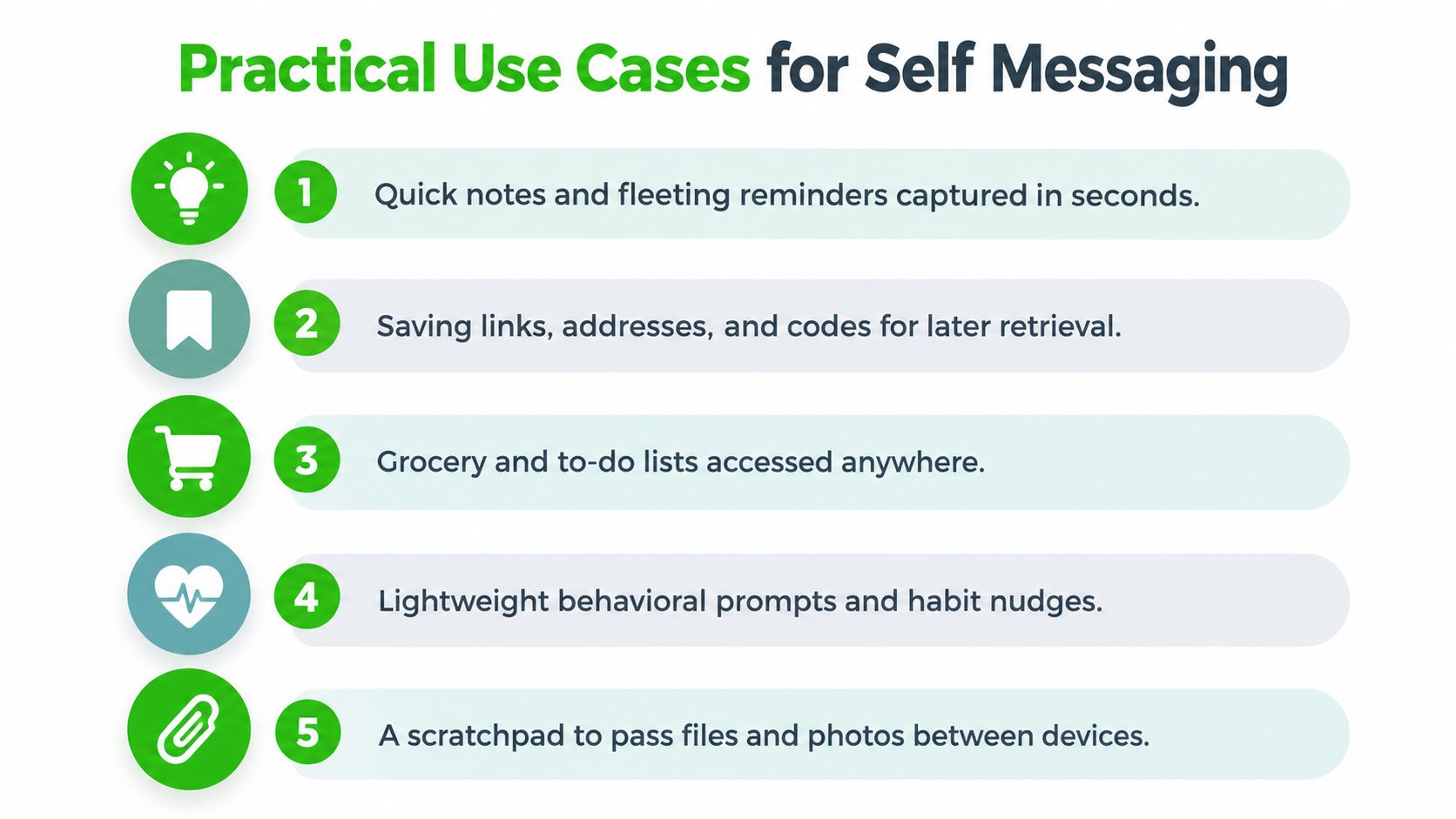
Self-texting shines when the information is short, useful across devices, and unlikely to need long-term organization. A web address copied on a desktop can arrive on your phone without an account setup. The same applies to a short instruction, an address, a confirmation detail, or a temporary reference to a file.
The medium's reach explains why this behavior feels natural. A Stanford-hosted historical account says that in 2008, approximately 3.55 billion mobile users sent an average of 70 text messages per month, equivalent to around 250 billion messages monthly or 3 trillion annually (Stanford historical account). The same account records about 3.55 billion mobile subscribers compared with 1.5 billion internet subscribers in 2004, which made SMS useful even where email and web access were unreliable.
Where it earns a place
- Quick capture: Send a fleeting thought, meeting detail, or reminder before it disappears.
- Cross-device transfer: Forward a URL, address, short instruction, or file reference from one device to another.
- Lightweight lists: Keep a temporary grocery list or task sequence available while moving around.
- Behavioral prompts: Use a self-message to prompt journaling, habit tracking, emotional check-ins, or medication reminders.
- Connectivity checks: Send a deliberately unique marker to test whether an SMS route reaches the handset.
Texting can support behavior without becoming treatment or a substitute for professional care. A review of interactive SMS use in mental-health settings found that supportive messages and self-monitoring each appeared in 42% of reviewed studies, while reminders appeared in 14% (JMIR review). Those figures describe the reviewed studies, not a guarantee that self-texting will improve any individual's health behavior.
The main organizational risk is accumulation. A thread that begins as a useful scratchpad can become an unsearchable stream of links and fragments. Keep messages brief, delete completed items, and move anything that needs durable retrieval into a proper notes or task system.
The Hidden Privacy Risks of Standard SMS
Sending a message to your own number changes the recipient, not the underlying transport. Standard SMS still travels through telecommunications infrastructure, and the carrier can see surrounding metadata such as sender and recipient numbers, timestamps, and routing information. The message may also remain in device storage, cloud backups, notification history, or a linked desktop client.
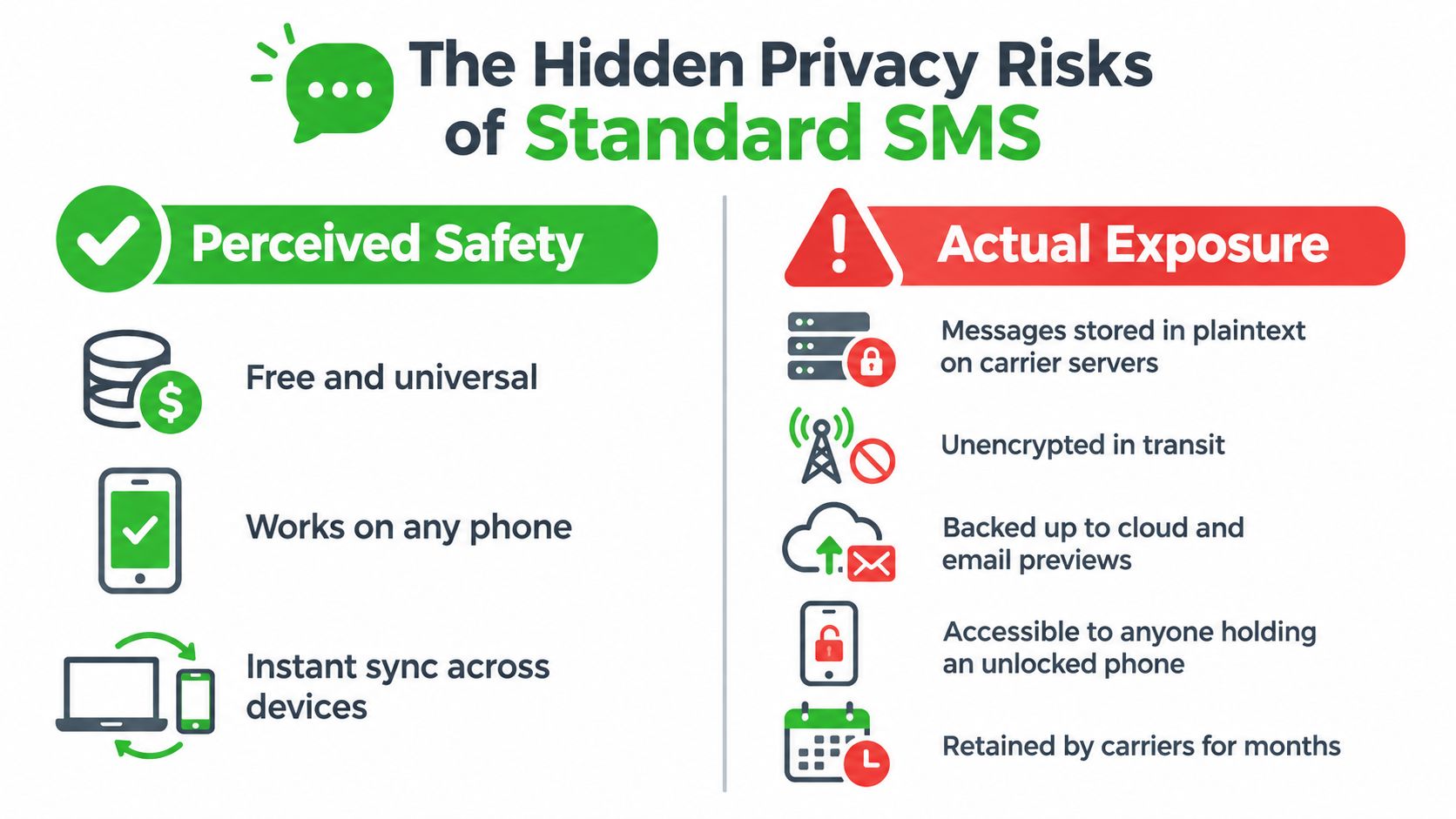
The lock screen is an especially common leak. A password, travel detail, medical note, or confidential work instruction can appear in a notification preview while the phone is on a desk. Anyone holding a phone with no screen lock can also browse the thread, and a linked computer may display the conversation after you delete it from the primary handset.
What “deleted” may not mean
Deleting the thread from your messaging app removes one visible copy. It doesn't necessarily remove copies held by:
- Cloud backups: Device backups may retain message content until the relevant backup is replaced or deleted.
- Linked clients: Desktop and tablet messaging applications can keep synchronized or cached copies.
- Notification history: Some Android configurations preserve previous notification text.
- Screenshots and exports: A recipient or a compromised endpoint can copy content outside the message thread.
- Carrier systems: Telecommunications providers may retain metadata according to their operational and legal policies.
Treat self-SMS as an ordinary carrier message, not as a secure note. For broader operational guidance on handling confidential information, the Approved Lux Personal Assistant privacy guide offers useful context about confidentiality practices.
A message addressed to yourself is still exposed to every place your messaging workflow stores, previews, synchronizes, or backs up messages.
Before using self-texting for anything sensitive, inspect notification settings and disable message previews on the lock screen. Check which devices are connected to your messaging account, review backup behavior, and lock the handset with a strong device passcode. Use neutral wording for a connectivity test, then delete the thread and notification after confirming receipt.
Avoid sending passwords, authentication codes, identity documents, confidential client details, or sensitive medical information through SMS. If the main concern is reducing exposure from your phone number itself, review this guide to phone number privacy before building a phone-based workflow.
Using Self Texts for Network Diagnostics
A self-message is a practical check when a note must travel from a sending route to your handset. Treat the result as a staged delivery test, not a simple pass or fail. A carrier or messaging API saying it accepted the message confirms entry into processing, while device receipt requires a separate check.
Format the destination as a complete international number. Send a short, unique marker that cannot be confused with an earlier test, record the send time, and check both the handset and any available delivery report. The SMS troubleshooting guidance distinguishes carrier handoff from actual delivery and notes that reports may be unavailable or sporadic on some networks.
A repeatable test
- Confirm the handset state: Check that the phone is powered on, reachable, registered on the network, and not using a mode that blocks cellular service.
- Send a unique marker: Use a fresh short string to identify the exact test.
- Record timestamps: Note when the message leaves the originating device and when it appears on the handset.
- Check the device: Verify that it appears in the conversation, rather than relying on a platform status such as “accepted.”
- Repeat at different times: Perform at least three sends at different times. Where possible, use more than one originating route or device.
- Use the median: Compare median delivery time instead of relying only on the average. One temporarily unreachable handset can distort the mean.
A healthy SMS route should return delivery statuses for more than 97% of messages, but that figure is a route-quality benchmark, not a guarantee for every self-addressed message. Log a missing event instead of treating successful handoff as proof of delivery.
Isolate the failure
If messages from other people arrive but self-messages fail, restart the device and inspect how the messaging application handles your own number. Some services restrict self-sending in trial or test-credit modes. Other possible causes include handset-level blocking, carrier filtering, SIM or network registration faults, and a phone that is unreachable.
Change one condition per test. Try a different originating device, route, or destination format, then compare the results. This method separates a handset issue from a carrier-path issue more reliably than repeatedly tapping send. Keep test content neutral, because a delivery check still creates a message record on the devices and systems involved.
Upgrading to Ephemeral Encrypted Channels
SMS is convenient because it uses a phone number and works across ordinary carrier networks. That same simplicity creates the privacy trade-off. The carrier sees addressing and timing metadata, the content can persist in multiple places, and the thread has no built-in requirement to disappear after a handoff.
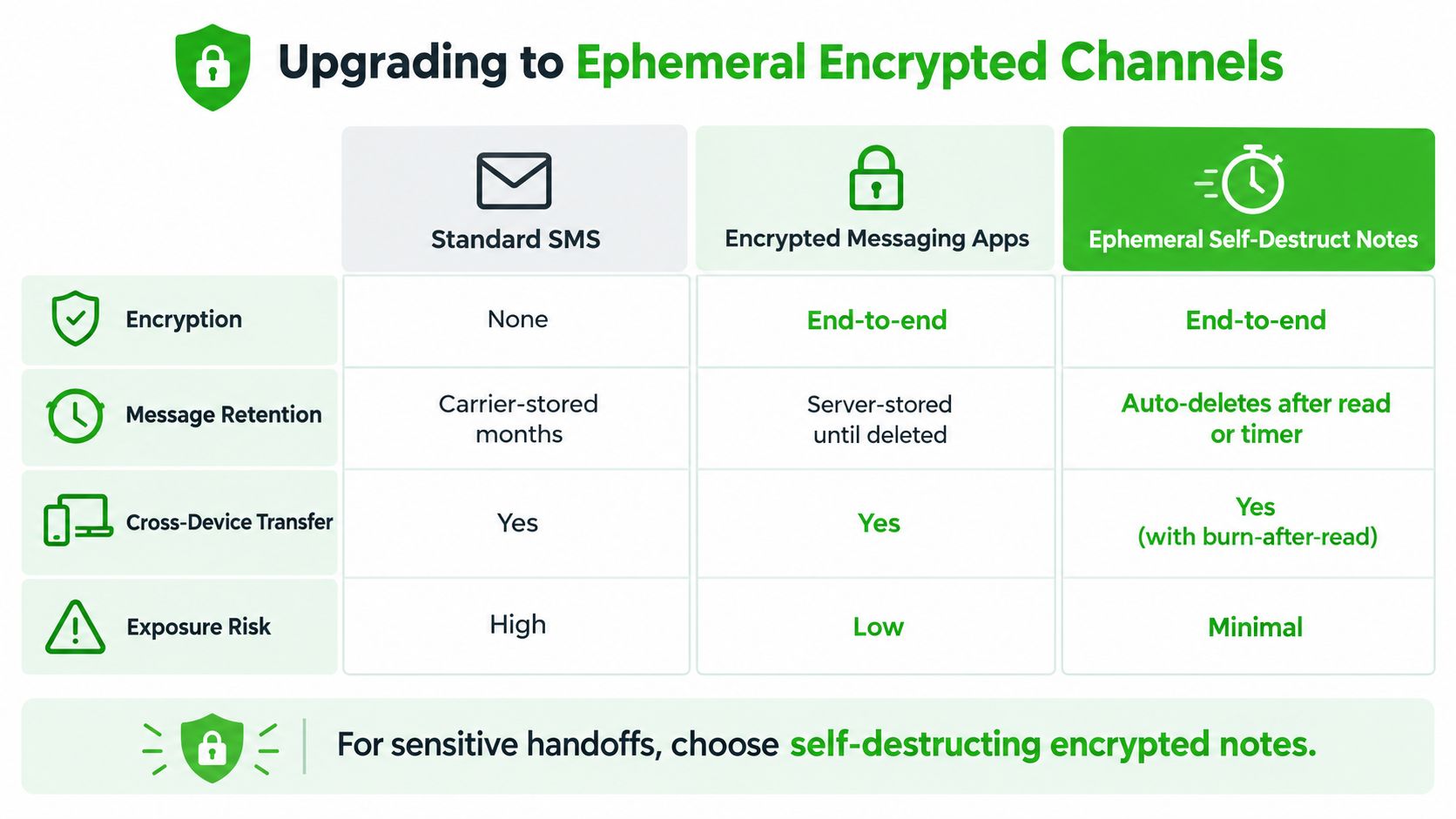
An encrypted messaging app improves protection when its design and endpoint settings fit the situation. However, an account, phone number, server history, linked device, or retained backup may still create an identity and persistence trail. Client-side encryption also can't protect a compromised phone, an open browser, or a screenshot.
Match the tool to the material
| Need | Practical choice | Main trade-off |
|---|---|---|
| Quick reminder or link | SMS or a normal messaging app | Fast, but persistent and easy to expose |
| Network delivery test | SMS to your own number | Tests the carrier path, not just an app |
| Ongoing personal notes | A dedicated notes application | Better organization and search |
| Sensitive temporary handoff | An ephemeral encrypted channel | Requires careful key sharing and endpoint hygiene |
For confidential material, an ephemeral browser-based channel can separate the handoff from your phone-number identity. Ciphar describes a model with client-side AES-256-GCM encryption, per-channel key isolation, no account or phone number requirement, and a hard one-hour lifetime enforced server-side (how ephemeral messaging works). Those properties address different weaknesses than SMS. They reduce retained content and identity exposure, but they don't make a compromised endpoint or screenshot harmless.
Use the simplest tool that fits the risk. Self-text a grocery item or a non-sensitive test marker. Use a proper notes system for information you need to retrieve later. For a confidential, short-lived transfer, create the encrypted channel, share its access key through a separate channel, verify the recipient, and burn the session when the exchange is complete.
Ciphar provides browser-based, identity-free encrypted channels for short-lived handoffs, with client-side encryption and enforced self-destruction after one hour. If you need to move sensitive information without turning a phone-number thread into a permanent record, visit Ciphar and use an ephemeral channel instead.