You're staring at a sensitive document, a name you shouldn't type into normal email, and a recipient you've never met in person. You don't need a new gadget first. You need a clear answer to a simpler question: what are you protecting, and who are you protecting it from? That's how you choose among secure communication devices without buying hardware you won't use or trusting an app that solves the wrong problem.
Secure Communication Devices at a Glance
A source has a document for a journalist they've never met, and neither person wants the exchange tied to a phone number or left in a permanent inbox. That one situation already rules out some tools and favors others, even before anyone talks about ciphers.
Think of secure communication devices as four broad classes, not a single product category. A hardware secure phone hardens the endpoint itself. An encrypted messaging app protects conversations inside an ongoing account. A dedicated secure device keeps a closed group talking on matched hardware. An ephemeral browser channel turns the browser into a short-lived device for one exchange, then disappears.
| Device class | Typical examples | Account or phone needed | Typical cost | Main weakness |
|---|---|---|---|---|
| Hardware secure phone | GrapheneOS on a Google Pixel; Purism Librem 5 | Carrier SIM usually needed | Often several hundred dollars or more | Carrier still sees call and data metadata |
| Encrypted messaging app | Signal, Wire, Element, Threema, Session | Signal needs a phone number; Threema and Session do not | Usually free | Contact graph and metadata remain exposed |
| Dedicated secure device | Encrypted handheld radios; air-gapped messaging units | Usually none, but both sides need compatible hardware | Hundreds to several thousand dollars | Expensive and hard to reach people outside its network |
| Ephemeral browser channel | Ciphar | None, no install, account or phone number | No hardware purchase, check current vendor pricing | No archive, no offline use, depends on browser and access-key sharing |
Cost figures above are typical ranges, so check them against current vendor pages before you budget. A phone that looks cheap can become expensive once you add a second handset, a spare, and the time to keep both updated.
Who Usually Picks Each Class
Executives and field staff who live on one handset for years gravitate toward hardened phones. Families and teams who talk daily pick messaging apps because contacts, groups, and history are convenient. Field teams working away from public networks buy dedicated radios or air-gapped units. People making first contact with a stranger often pick an ephemeral channel because there's nothing to install and no number to exchange.
No class is secure in general. Each one is secure against a specific adversary, and weak against others.
That rule prevents the most common buying mistake. Don't ask whether a device is secure. Ask which attack it stops, which attack it ignores, and whether the ignored attack is the one you're really facing.
Four Protections Hidden Inside the Word Secure
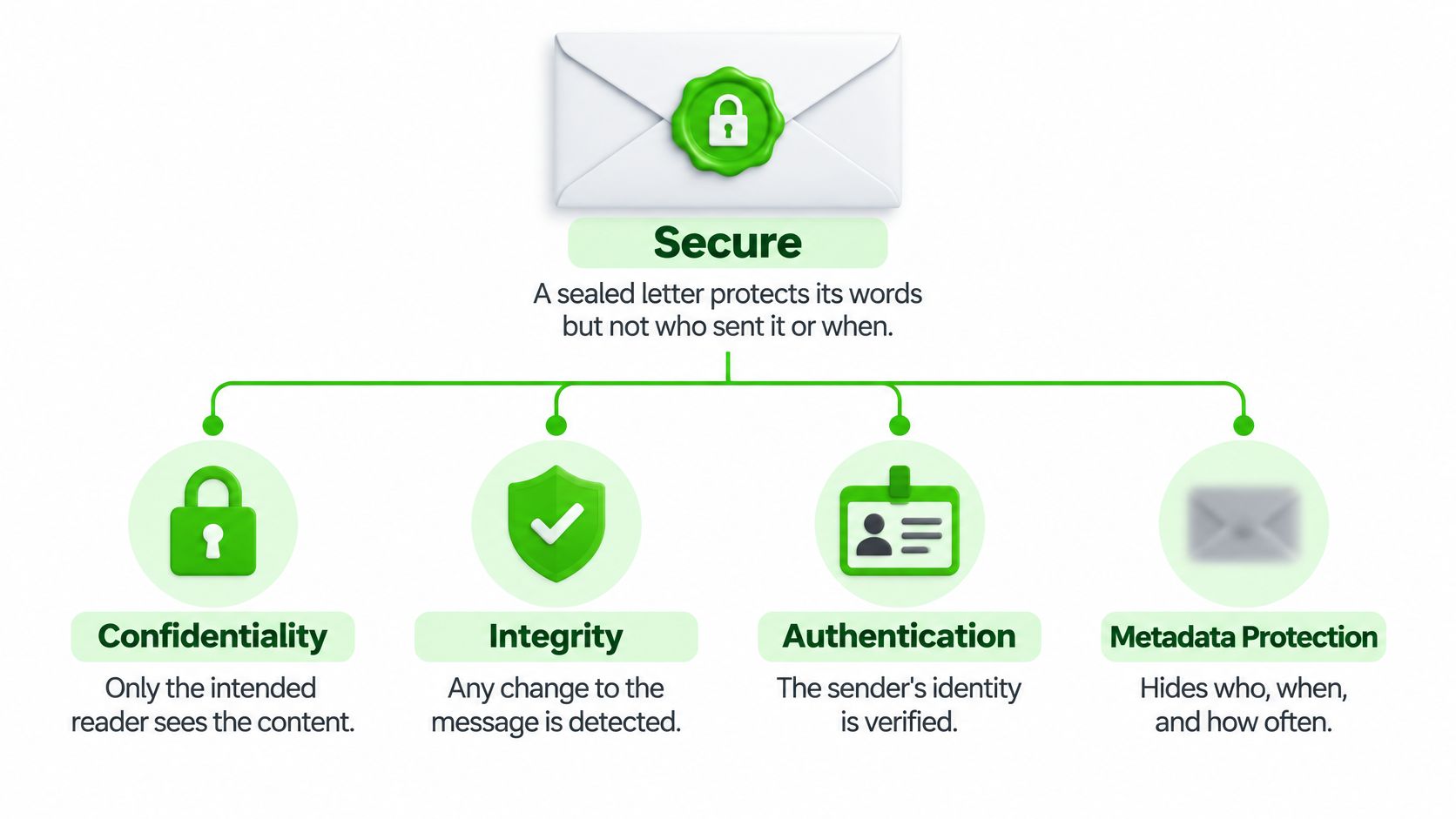
A sealed letter protects its words, and the postal service still records who sent it, who received it, when it moved, and how often you write. Secure communication devices work the same way. One protection can be strong while the envelope around it stays fully visible.
The diagram below separates the parts that marketing copy tends to blur together.
The Four Properties in Plain Language
Content confidentiality means only the intended recipient can read the words, files, or voice. Identity privacy means the service can't easily tie the channel to your real name or phone number. Metadata resistance means hiding who talks to whom, when, and how much. Endpoint security means the phone, laptop, or browser at each end hasn't already been compromised.
Most vendor claims cover only the first property. A 2025 peer-reviewed privacy study states that encryption protects message contents while metadata such as who communicates with whom, when, and how much can stay exposed. Related work described there shows that timing, packet sizes, and delivery notifications can reveal communication partners without any plaintext. An observer who never reads a single word can still learn that two people talk every night at the same hour, which is often the fact an adversary wanted in the first place.
Encryption protects the words inside. The sender, the timing, and the frequency stay readable on the envelope.
How the Classes Split
Messaging apps usually deliver strong content confidentiality and reasonable identity privacy, with weaker metadata resistance because accounts and contact graphs persist. Hardware phones add endpoint defenses, and they still leave carrier metadata visible. Ephemeral browser channels cut stored history and persistent identity, and they still expose IP addresses, connection existence, and timing to a network observer.
The test for any vendor claim takes one sentence. Name the property being promised, then ask which of the other three stays open. If the answer is vague, what you hold is a slogan, and a slogan says nothing about the protection you need.
Threat Models Decide Which Trade-Offs Matter
A threat model is a clear statement of who you're protecting against, what that adversary can truly do, and what they'd gain. It isn't a formality. It's the thing that tells you whether you need a hardened handset, a disappearing channel, or just a better backup setting. If you want the concept broken down step by step, start with our guide to building a threat model before you compare products.
| Threat | Hardware phone | Messaging app | Dedicated device | Ephemeral browser |
|---|---|---|---|---|
| Provider server seized or breached | Partial | Partial | Strong | Strong |
| Network observer (ISP or Wi-Fi host) | Weak | Weak | Partial | Weak |
| Spyware on the device | Partial | Weak | Partial | Weak |
| Contact-graph exposure | Weak | Partial | Strong | Strong |
| Message history left behind | Partial | Partial | Strong | Strong |
| Identity linked to an account | Weak | Weak | Partial | Strong |
| Offline use with no network | Weak | Weak | Strong | Weak |
Treat these ratings as judgment calls for a typical setup, and check them against each vendor's security documentation. A strongly rated class can still fail if you configure it badly or hand the key to the wrong person.
Three Trade-Offs You Can't Wish Away
Convenience versus reach decides whether the other person can join at all. They must install the same app, carry compatible hardware, or open the same link. The safest tool nobody will open protects nothing.
Archive versus evidence cuts both ways. No stored history leaves less for an attacker or a subpoena to find, but it also can't prove what was said. That matters for regulated work, client files, and any dispute where you'll need a record later.
Device trust versus cost is where many budgets break. Hardening helps only if the phone stays updated and avoids unknown software. Readers weighing a cheaper handset should also review smartphone security for budget-conscious buyers so a low purchase price doesn't turn into an endpoint problem without warning.
Two People, Two Different Answers
Say a whistleblower fears a corporate IT department that manages their work laptop and can inspect cloud backups. Their biggest risks are endpoint compromise and retained history, so a company device is the wrong starting point. Say a family mainly fears a cloud backup leaking old chats. Their fix may be an encrypted app with backups configured carefully, not dedicated hardware.
Same word, secure. Completely different purchase.
How the Cryptography Protects Each Message
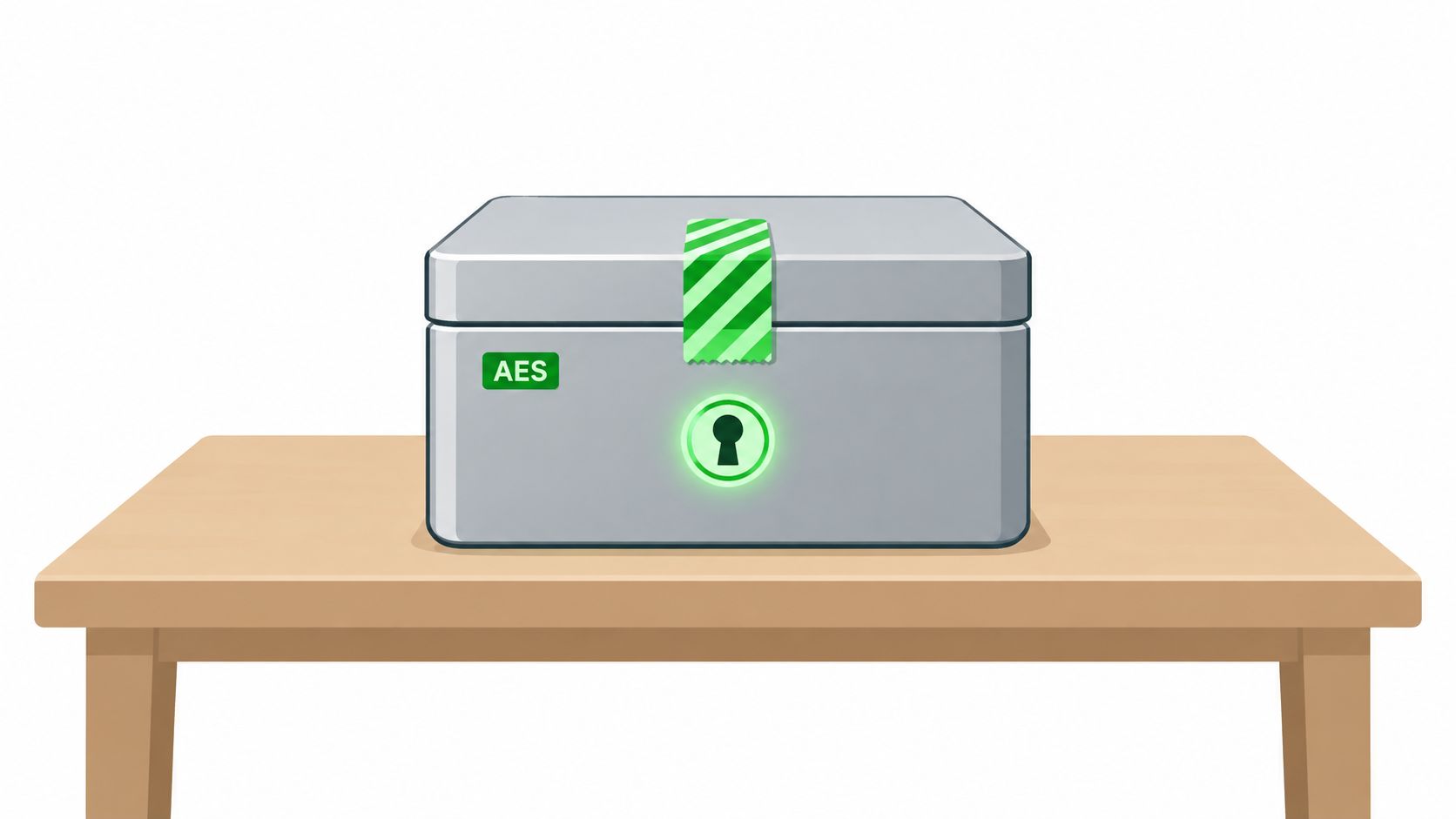
Picture a locked box with a tamper-evident seal. The lock keeps the contents private, and the seal shows whether anyone touched the box on the way. Good secure communication devices need both, because privacy without tamper detection lets an attacker alter what arrives without anyone noticing.
The box below is a useful mental model, even though the substantive work happens in mathematics and browser code.
AES earned trust through open scrutiny, not vendor claims. The NIST AES development history records that NIST announced the project on January 2, 1997, selected Rijndael on October 2, 2000, and published AES as FIPS 197 on November 26, 2001. Fifteen algorithms were accepted as initial candidates in 1998, and five finalists were analyzed publicly before the choice.
The Seal on Every Message
AES-256-GCM is authenticated encryption. The NIST GCM specification describes a construction that encrypts plaintext while generating an authentication tag over the ciphertext and associated data, so a recipient rejects altered messages instead of decrypting corrupted content. Change one byte and decryption should fail.
That seal depends on a fresh initialization vector, or IV, for every message or media frame. An IV must never repeat under the same key, because nonce reuse can reveal relationships between plaintexts and undermine authentication. The IV travels with the ciphertext, and metadata such as channel identifiers, message type, sequence numbers, and expiry state should be authenticated as associated data.
A Worked Browser Example
In our browser implementation, messages, files, and voice frames are encrypted with AES-256-GCM before they touch the network. The key is derived from the access key using PBKDF2-HMAC-SHA-256 at 100,000 iterations. The relay sees only opaque ciphertext, an initialization vector, an authentication tag, and an expiry timestamp, and it never sees passwords, derived keys, messages, or files.
That iteration count deserves honesty. Current OWASP guidance sits higher, so 100,000 is a compatibility baseline, not a reason to treat a short human-readable access key as high entropy. Rate limiting and failed-access alerts still matter. If you want the mechanics in more depth, our explainer on how encryption keys work walks through derivation without assuming a cryptography background.
Three implementation rules keep derivation sane. Derive each channel key from a unique, randomly generated salt and bind it to a fixed domain-separation label for message, file, or voice, so keys can't be confused across contexts. Store an authenticated test blob so the browser can confirm the access key without revealing it. Version the iteration count, because changing it changes the derived key and breaks existing sessions, and benchmark latency on the slowest supported phone before raising it.
None of this covers screens, clipboards, malicious browser extensions, or a compromised device. Check any tool for three things, authenticated encryption, a modern key-derivation work factor, and keys that never sit on the server.
How to Verify a Shared Key Out of Band
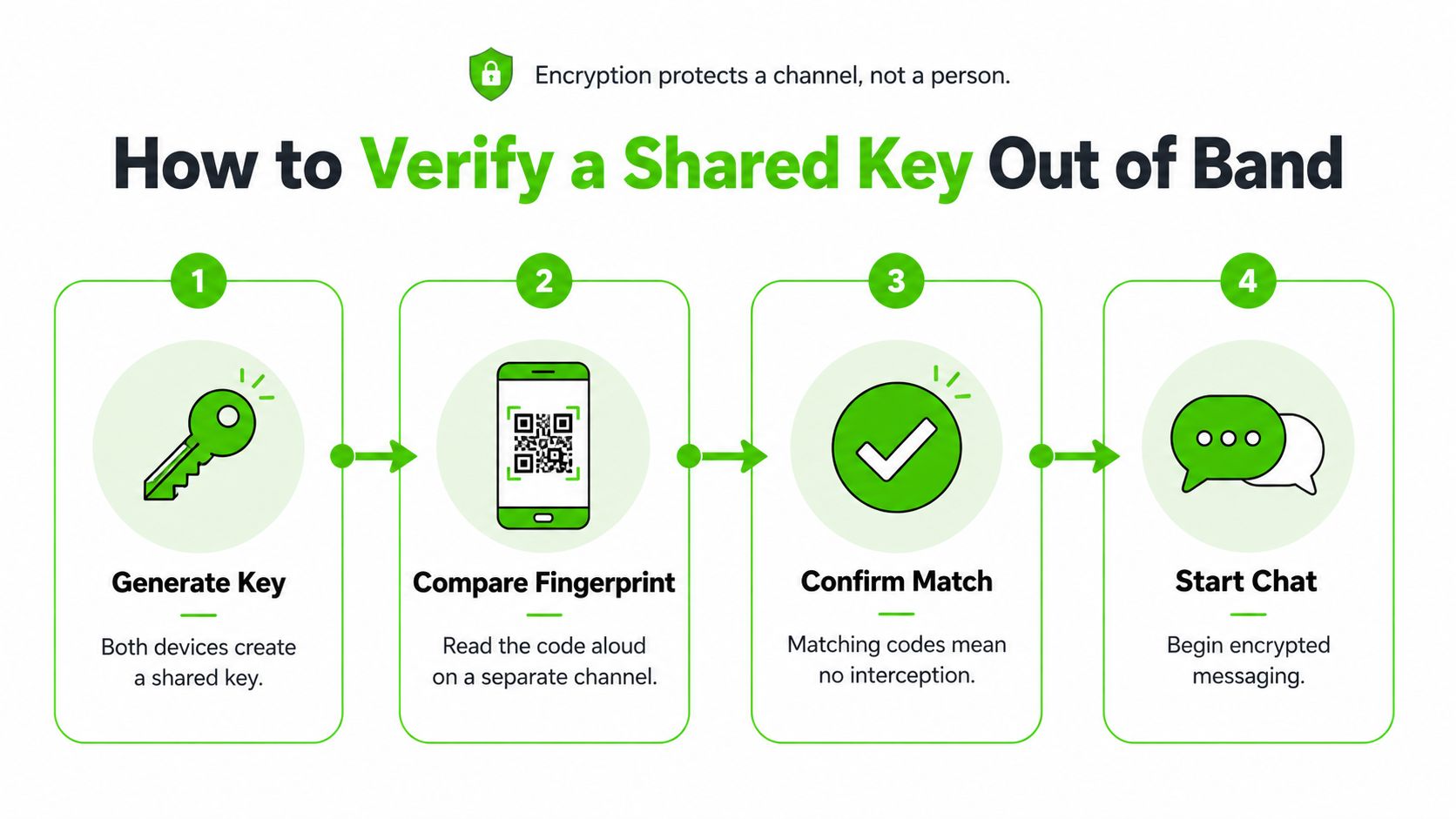
Encryption protects a channel, not a person. That's the gap most comparisons skip. If you send the link and the access key through the same compromised email account or chat thread, an impersonator who reads that thread gets both pieces, and the cryptography will faithfully protect your conversation with the wrong person.
The flow below shows the basic shape of verification on a separate channel.
A 2025 University of Bonn dissertation covering four peer-reviewed studies identifies trust establishment as the cornerstone of secure messaging and reports that failures in this step can compromise the system's security guarantees entirely. In its empirical study of 1,047 participants, conventional hexadecimal fingerprints performed worse for attack detection and perceived usability than sentence-based representations. People verify words they can say aloud far more reliably than hex strings they skim.
Practical rule: If the key traveled by the same route as the link, you haven't verified anything yet.
The Procedure
- Agree on a second medium first. Pick a phone call, an in-person meeting, or another trusted route before you create anything, so you're not improvising under pressure.
- Create the channel, then separate the pieces. Click Initialize Secure Channel, then copy the link and the access key separately instead of forwarding them as one bundle.
- Send the access key only through the second medium. The access key never leaves your device unless you choose to share it, so treat that choice as the security decision it is.
- Ask for a spoken read-back. Have the other person read back a short phrase or the first word of their callsign, not a hex string, because spoken words are easier to compare accurately.
- Confirm both screens agree. Check that the channel name matches on both sides and that the first join succeeded with no failed-access notice.
- Burn and restart if anything mismatches. Don't troubleshoot a suspicious join inside the channel you're worried about. Start again on a new medium.
The short video below reinforces why the read-back step matters in practice.
Understanding the shared-secret idea helps here. The Splash Access guide to pre-shared keys explains the basic concept of a secret both sides hold before they connect, which is exactly the role an access key plays. Our own walkthrough of out-of-band key exchange applies that idea to short-lived channels.
Remember what a successful join actually proves. A new participant is admitted only if their browser derives the same key and successfully decrypts the channel's test blob. That proves key possession, not identity. Burn the channel rather than investigate when an unknown participant appears, failed-access alerts repeat, or the key was posted somewhere insecure.
Three Scenarios Where the Right Device Changes
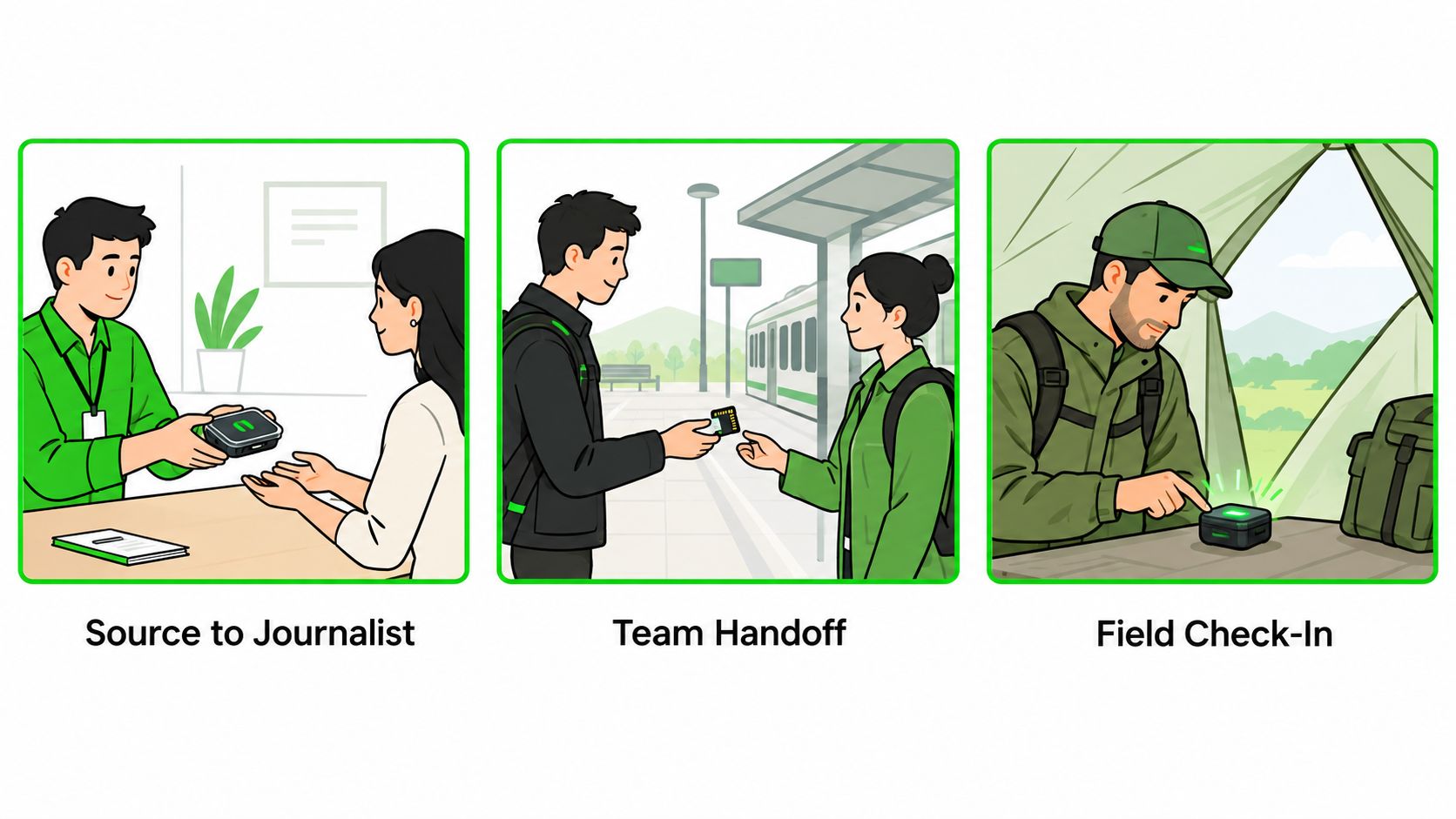
Abstract ratings get clearer once a real deadline and a real relationship enter the picture. The illustrations below cover a source passing documents to a journalist, a lawyer briefing a new client, and an incident responder working with an outside researcher. The setups look similar, but each one stresses a different protection.
A Source Who Won't Be Named
A source wants to pass documents to a journalist they've never met. They won't share a phone number, won't install an app tied to an identity, and don't want the exchange sitting in a permanent inbox. An ephemeral browser channel with a verified key fits that first contact, because files leave the device only as ciphertext and self-destruct with the channel. Content confidentiality and identity privacy are covered. What isn't covered is the source's own device, screenshots either person chooses to take, and the timing signals any relay can observe. They should agree on a verification phrase in advance and hold a backup medium in reserve if the first join looks wrong.
A Lawyer Under a Deadline
A lawyer briefing a client for the first time needs speed today, but the relationship will continue for months. A messaging app suits the ongoing work, while an ephemeral channel suits sensitive first contact where neither side wants to exchange numbers. The catch is retention. Firm rules or a regulator may require records, and a channel that exists only as ciphertext on a one-hour clock produces no archive and no audit trail. Teams managing many work handsets can use Networking2000's advice on managing work devices to keep policy and device control aligned. The lawyer should decide before the call whether an archive is legally required, not after the channel expires.
A Researcher Disclosing a Vulnerability
An incident responder coordinating with an outside researcher needs a short-lived room, fast file exchange, and a burn option if a participant behaves oddly. Encrypted file transfer fits the proof-of-concept attachments, since the relay only ever stores ciphertext it cannot read. The room won't serve as the record, though, so confirmed findings need a plan to move into a ticketing system afterward. Name who copies the final details into the ticket before expiry, and agree on a backup contact method in case the channel has to be burned mid-conversation.
Pick Your Device by Threat Model Before You Start
Start from your situation, not from a product page. The table below maps common situations to the class that usually fits, including the one-off exchanges we designed Ciphar for, with people you don't want to give a phone number to, such as sources, anonymous tipsters, and one-off contacts.
| Situation | Best-fit class | Why it fits | What to watch |
|---|---|---|---|
| Ongoing family or team chat | Encrypted messaging app | Persistent contacts and history with strong content encryption | Contact graph and metadata remain |
| Long-term contact with device-compromise concern | Hardware secure phone plus messaging app | Stronger endpoint protection | Carrier metadata and device updates still matter |
| Field team without network | Dedicated secure device | Works offline with compatible hardware | Both sides need matching kit |
| One-off sensitive exchange with someone who will not share a number | Ephemeral browser channel (Ciphar) | No install, account or phone number; 60-minute lifetime; manual burn | Key sharing, screenshots and browser integrity |
| Regulated work needing audit trails or archives | Managed platform with retention controls | Records and access controls | Ephemeral channels are not suitable |
Browser channel strengths
- No friction to join: No install, no account, and no phone number.
- A hard 60-minute lifetime: The channel expires on schedule, with a manual burn control if you need it sooner.
- A ciphertext-only relay: The server can't read content it never holds keys for.
Browser channel limits
- A fixed window: Nothing is archived, and there's no recovery after expiry.
- Visible network facts: IP addresses and timing remain observable.
- People-dependent key strength: Password-derived keys need calibrated work factors, and the OWASP PBKDF2 test material demonstrates a 100,000-iteration configuration while current OWASP guidance lists 600,000 PBKDF2-HMAC-SHA256 iterations as recommended.
- No regulated-use claim: Ciphar has not been formally assessed against HIPAA, GDPR data processing agreements, PCI-DSS, or similar regimes, and isn't compliant with them, so it isn't appropriate for regulated communications that require audit trails or message archival.
Finish with three steps. Write your threat model in one sentence. Match that sentence to a row in the table. Test the channel with a low-stakes message before you send anything sensitive.
When your threat model points to a one-off exchange with no number shared and no history left behind, Ciphar gives you a browser channel that encrypts client-side, self-destructs in 60 minutes, and burns on demand. Open a test channel first, verify the access key out of band, and only then send the material that matters.