You're about to send a password, a source's contact details, or a sensitive document link. You don't want it sitting in a chat history for months, but you also know that pressing “delete” doesn't necessarily erase every copy. Burn-after-reading messages are designed to limit how long content remains available. To use them safely, you need to know what gets deleted, what the recipient can keep, and what information may still be visible.
What Burn After Reading Messages Really Are
Think of a note passed across a table that fades after someone reads it. A burn-after-reading message works on a similar idea: it makes content available for a limited time, then removes it when a set trigger occurs. That trigger might be the first time the recipient opens it, the end of a timer, or a participant pressing a burn button.
Every system has three parts: the sender, who writes the message; the recipient, who reads it; and the trigger, which tells the system when to destroy the content. The tricky part is that “destroy” can mean different things. A service might delete the encrypted message from its server, while the recipient still has a screenshot or a downloaded copy.
A disappearing-messages setting in an ordinary messenger isn't automatically the same thing. It may remove text from the chat view after a countdown, but backups, cloud sync, or device caches can retain copies. A dedicated burn-after-reading channel may be designed to delete content from its relay, but that still can't reach something the recipient saved elsewhere.
For example, a source could send a document link that's configured to open once. After the first view, the link can't be reopened. That limits access through the service, but it can't stop the recipient from taking a photo of the screen while the document is open.
The phrase also names the 2008 Coen brothers black comedy Burn After Reading, a film about people mistaking a misplaced memoir for sensitive intelligence, as described in the film's overview.
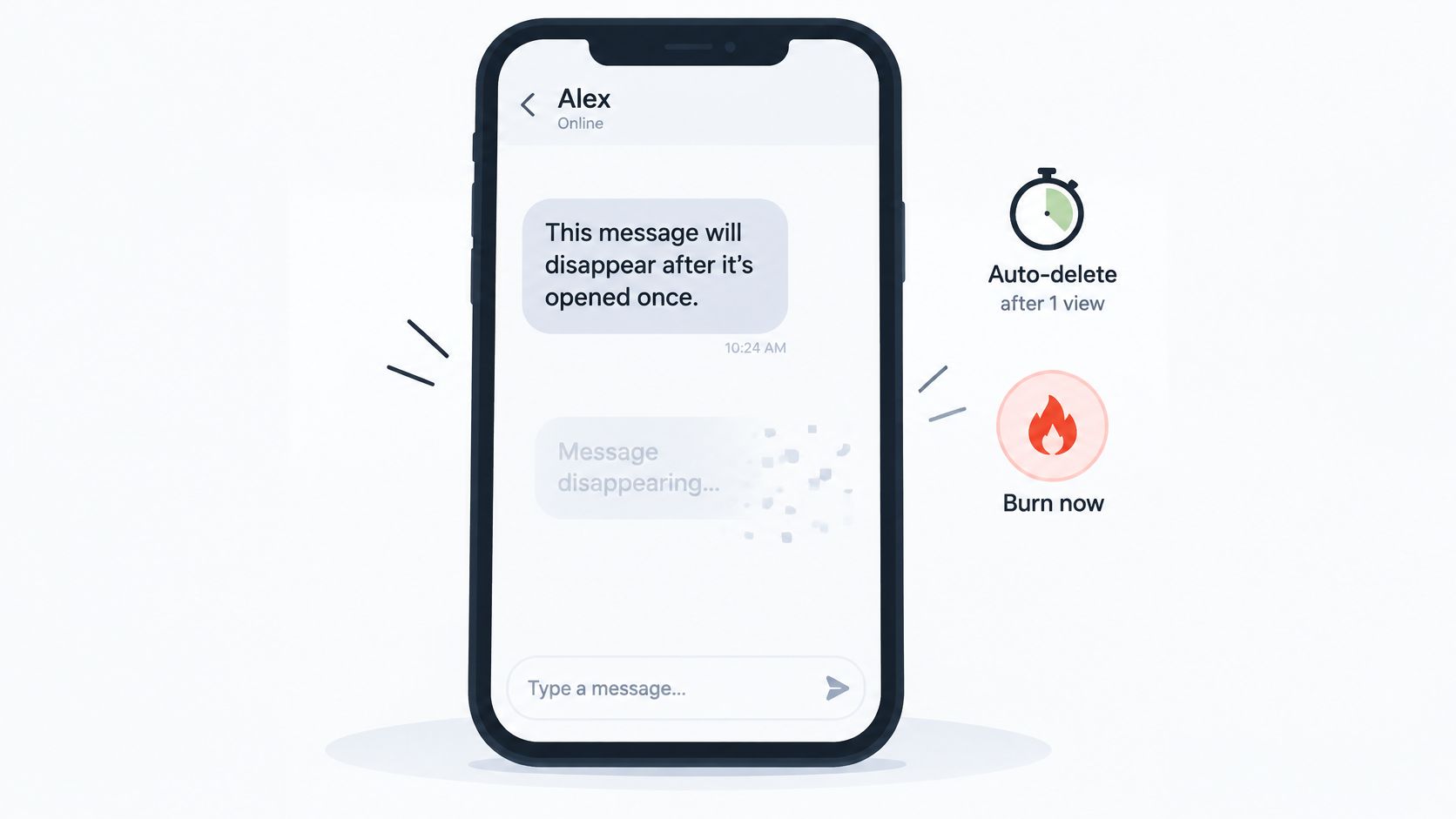
The useful question: Which trigger destroys the content, and where does deletion actually happen?
How Self-Destructing Messages Delete Content
A disappearing message isn't just a timer attached to a chat bubble. In a client-side encrypted system, the content is protected before the server receives it. Here's the basic flow:
- The sender encrypts the message in the browser or app. The server receives ciphertext, an initialization vector (IV), and an authentication tag, rather than readable text. Encryption protects the message while it's stored on the relay.
- The relay stores the encrypted blob. It can hold that ciphertext with an expiry timestamp, but it doesn't have the key needed to read the message. The timestamp gives the service a rule for when to remove the stored data.
- The recipient decrypts the message locally. The recipient's browser or app uses a key shared through a separate channel. Decryption happens on the recipient's device, so the readable message appears there.
- A trigger fires deletion. After a first open, timer expiry, or manual burn, the relay removes the ciphertext. That ends access through the relay, not access to copies already made by a person or device.
The distinction between deleting data and hiding it from view matters. A relay may remove its stored ciphertext, or an app may stop showing a message in the chat. Those actions aren't equivalent. Even a real deletion mechanism can't erase screenshots, copied text, or downloads that left the service before the trigger.
| Trigger | When It Fires | What Gets Deleted | What Can Survive |
|---|---|---|---|
| Read-once note | Fires on first open | Ciphertext and link | Copies the recipient saved |
| Fixed-timer channel | Fires at expiry, for example, 60 minutes | Relay ciphertext and access data | Screenshots and pasted text |
| Manual burn button | Fires when any participant presses it | Relay ciphertext, immediately | Anything copied before the press |
| Messenger disappearing timer | Fires after the set period | Message removed from the chat view | Backups, cloud sync, and device caches |
| Sender revoke | Fires when the sender deletes | Relay copy only | The recipient's decrypted copy |
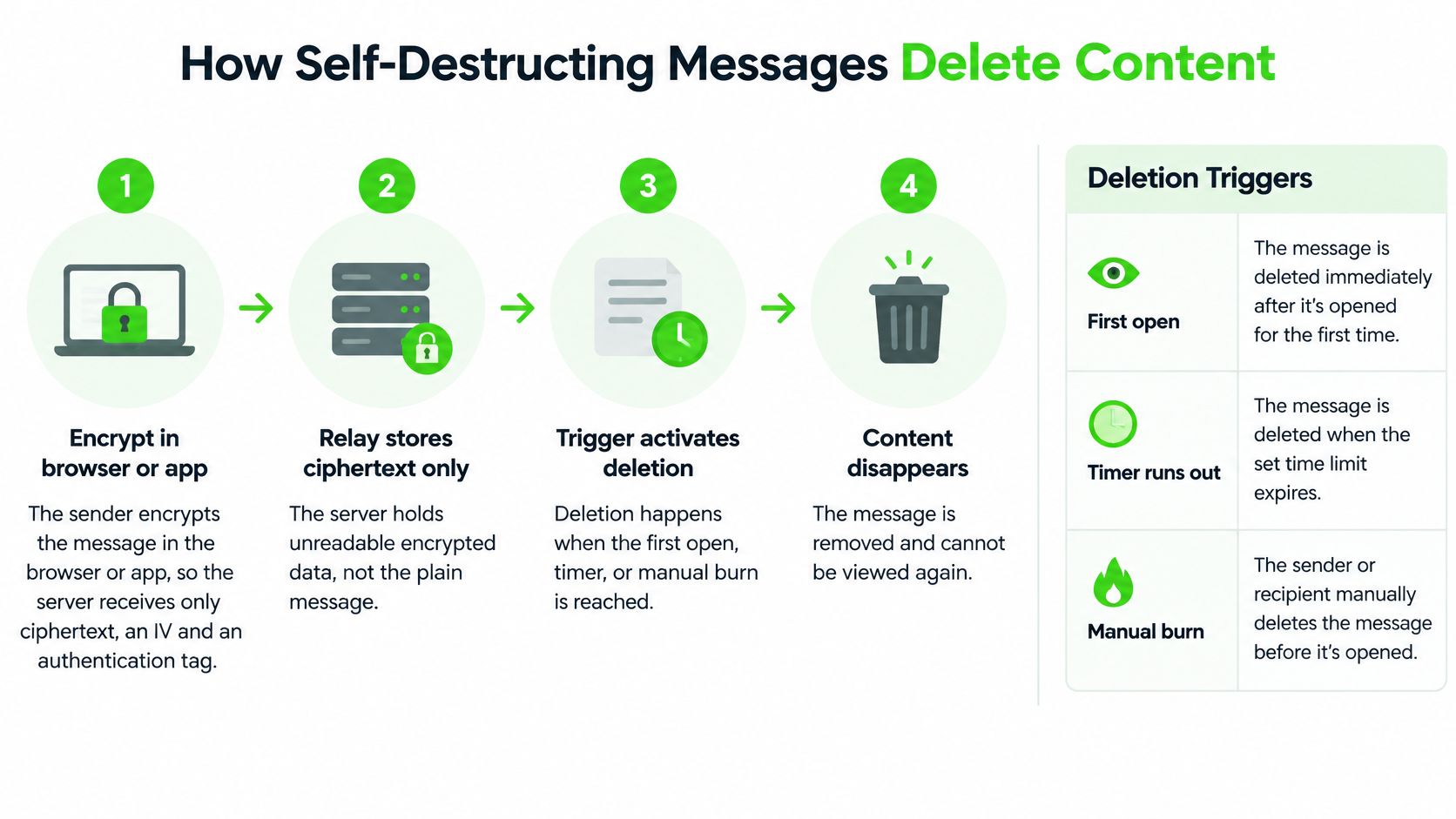
A fixed expiry is only as dependable as the cleanup process behind it. If a service marks content as expired but removes it later through a cleanup job, it may remain stored for a period after the timer runs out. For more on the role of keys in this process, see this guide to how encryption keys work.
Before relying on a tool, verify three details: whether deletion is immediate or waits for cleanup, whether anyone can extend the timer, and whether a manual burn requires confirmation.
Security Gains Self-Destructing Messages Deliver
Data that isn't stored can't be exposed later from that storage. If a relay holds only ciphertext and the decryption keys stay on the participants' devices, a person who gets access to the relay doesn't automatically get readable messages. That reduces the amount of sensitive content sitting in a server archive, though it doesn't make every other copy disappear.
A short retention window also limits how long a stored message remains available to a potential intruder. And if the conversation starts to feel unsafe, a manual burn can end access through the channel rather than waiting for the timer. Those controls reduce exposure, but they don't verify who's on the other end. A secure channel can still be shared with the wrong person.
Some encrypted messaging systems use authenticated encryption, such as AES-256-GCM. Authentication checks whether encrypted data has been altered, so tampering can cause decryption to fail. Key derivation methods such as PBKDF2 can make guessing a key more expensive; the implementation and how users share and protect keys still matter.
Consider a healthcare coordinator sending a case update through a channel that expires within the hour. The short window can reduce the chance that the update sits in an inbox for years, but it doesn't replace identity checks, workplace procedures, or the rules that govern handling health information.
For a broader look at reported breach figures, the Statlyst breach statistics library can help put exposure risks in context. The practical question is not whether a burn feature makes communication risk-free. It's which risk matters most in your situation: long-term server storage, identity exposure, or the possibility that a recipient keeps a copy.
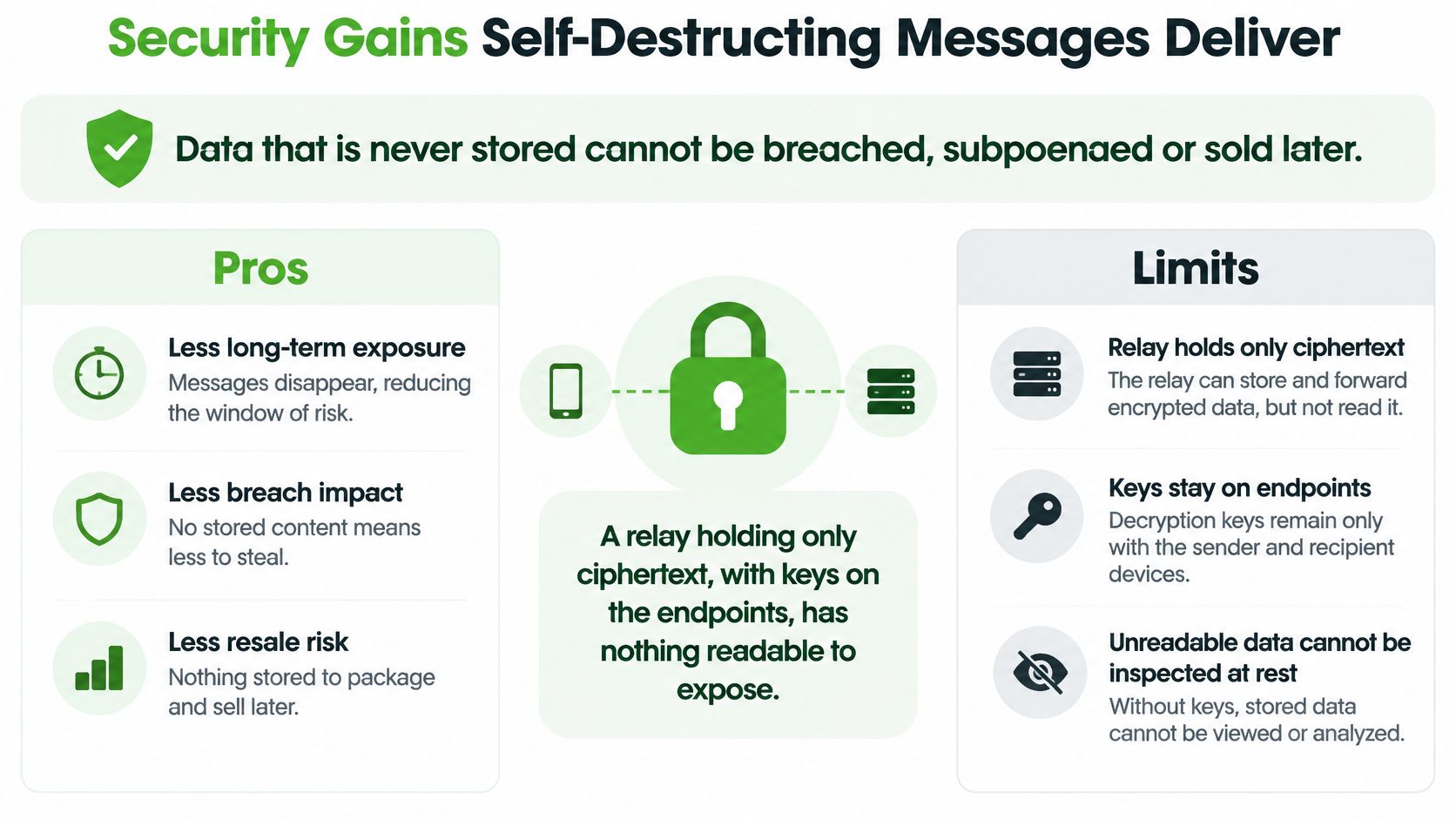
Risks a Burn Timer Cannot Remove
A timer removes the server copy, not what people already know. It can limit how long a message remains available through a service, but it doesn't reverse actions taken before the content burns.
| Risk | Protected? | Why It Matters |
|---|---|---|
| Recipient screenshots or copies text | Not protected | Deletion can't reach copies made before the trigger |
| Server breach before expiry | Partly protected | Only ciphertext is stored, but the breach window is still real |
| Compromised device | Not protected | Malware or a keylogger can read content before it burns |
| Network metadata such as timing and IP addresses | Partly protected | Who talked to whom and when can still be observed |
| Fragments left in browser cache or swap | Partly protected | Closing tabs and clearing caches reduces the leftovers |
| Recipient who shares with the wrong person | Not protected | A burn can't undo a disclosure already made |
The two hardest gaps are copies made by recipients and compromised endpoints. Someone can photograph a screen, paste text into another app, or tell a third person what they read. Likewise, encryption can't protect content from malware that's already running on a device where the message is displayed.
Metadata is another limit. Even when message content is encrypted, information such as timing, IP addresses, or who communicated with whom may remain visible to parts of the network or service. For a plain-language explanation, read about what metadata means.
The risk of attacks involving sensitive content doesn't vanish just because a message has a timer. In 2024, 32% of respondents in Kiteworks' Sensitive Content Communications Security and Compliance Report said their organizations experienced seven or more external malicious hacks involving sensitive content during the previous year, according to the Kiteworks report. That finding is a reminder to use layered safeguards, not a single feature.
Share access keys through a separate channel, pay attention to intrusion alerts, use protections against repeated key guessing, and burn a channel once it's no longer needed. If you're setting organization-wide rules for what gets stored and for how long, building a data retention policy can help clarify which records should be kept and which should be removed.
A burn doesn't mean a message never existed. It means the relay no longer holds it. Whether that's enough depends on the people, devices, and information involved.
Who Uses Burn After Reading and Which Tools Fit
Journalists and confidential sources may need to communicate without creating a lasting account-based trail. In a 2024 Committee to Protect Journalists survey, 433 journalists across 63 countries participated, and 31% said their sources faced high personal risk at least somewhat often, according to the survey results.
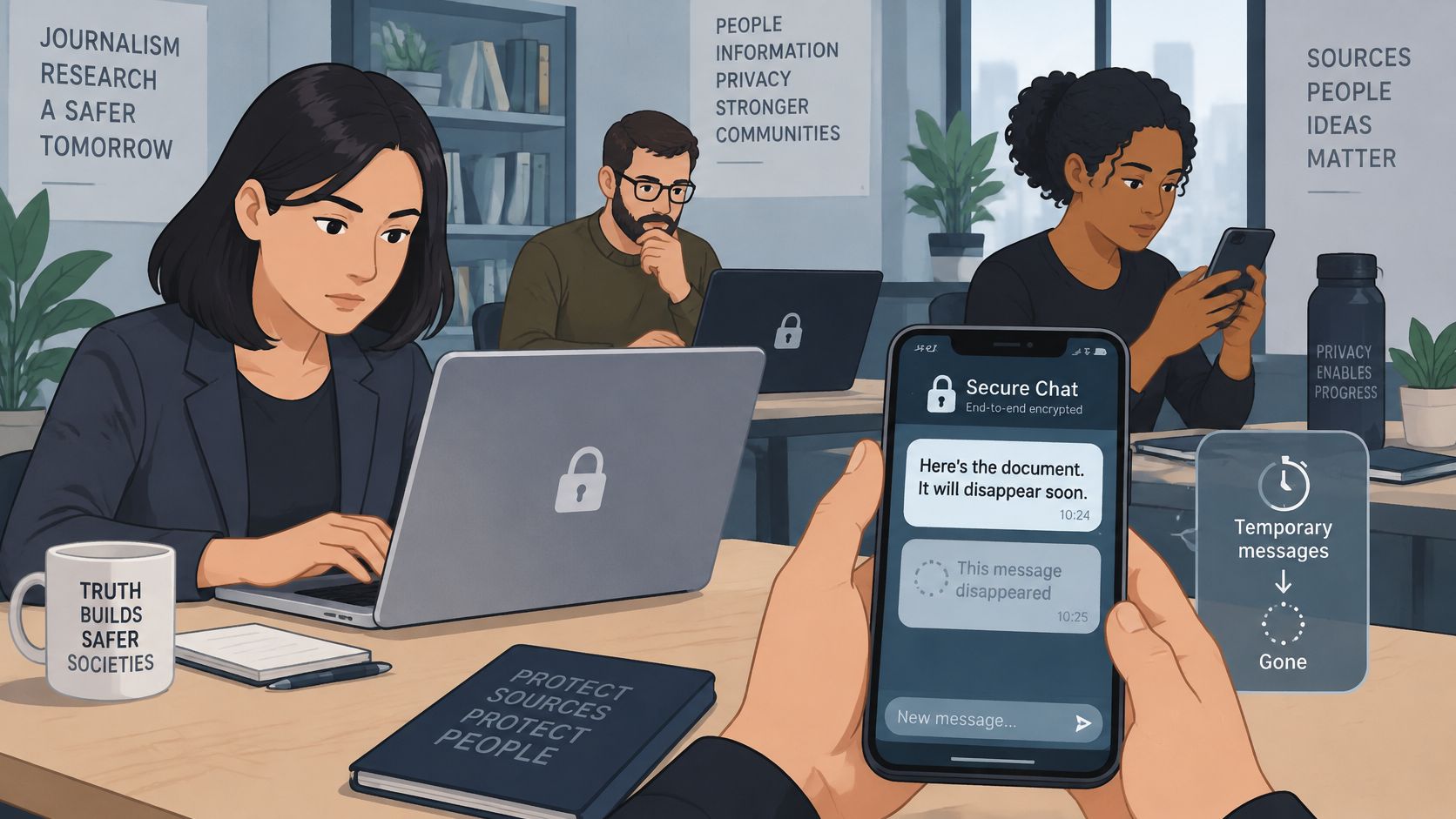
Lawyers may need to share privileged material, but an ephemeral channel isn't a substitute for checking confidentiality obligations or maintaining required records. Healthcare professionals coordinating sensitive cases need to follow the rules that apply to their work. Security researchers and incident responders may use short-lived channels to coordinate a disclosure or response without keeping sensitive operational details in a routine chat history.
| Tool Type | Destruction Rule | Account Needed | Best Fit |
|---|---|---|---|
| Read-once note tool | Deletes on first open | No | One-off secret or password share |
| Browser ephemeral chat channel | Fixed expiry, for example, 60 minutes, plus manual burn | No account or install | Short talks with someone you may never contact again |
| Messenger with disappearing messages | Timer set per chat | Usually yes | Ongoing relationships where history matters less |
| Retention-controlled enterprise platform | Policy-based retention | Yes, set by the organisation | Regulated records that must be kept or deleted on schedule |
| Standard email | No automatic burn | Yes | Records you need to keep |
A browser-based channel suits a brief, two-party conversation with someone you may never contact again. For example, Ciphar channels have a fixed lifetime, and any participant can press the BURN CHANNEL button to destroy the channel immediately. That setup isn't intended for group chats or conversations that need an ongoing history.
For legal teams choosing how to exchange files, document protection guidance for legal teams can help frame the questions to ask about sharing and retaining sensitive documents.
This video offers another perspective on temporary messaging:
Use this fit test: Is the conversation short? Are both people reluctant to share identifiers? Would a permanent archive create more risk than value? If the answer to each is yes, an ephemeral channel may fit. If you need a record, a group discussion, or continuing access to files, choose a tool designed for that job.
Decide Whether a Burn After Reading Channel Fits
Use a burn-after-reading channel when the conversation is short, you can verify the other person through a separate route, and keeping a permanent record would create more risk than it removes. A threat-modeling guide can help you identify who or what you're protecting against before you choose a tool.
Follow a simple routine:
- Confirm the other person independently. Use a known phone number, an established contact, or another trusted route before sharing anything sensitive.
- Send the key separately from the link. If someone intercepts the link alone, they shouldn't automatically have everything needed to read the message.
- Agree on the boundaries. Decide what you'll discuss and what shouldn't be copied or forwarded.
- Stay within the session. Don't extend the conversation by pasting its contents into email, notes, or another chat.
- Burn the channel when you're done. Ciphar's burn button ends the conversation immediately, with no confirmation, no undo, and no waiting for the timer. Make sure you don't still need anything in the channel before pressing it.
- Assume viewed content may survive. A recipient or compromised device may keep a copy outside the channel.
Switch to another tool for an ongoing relationship, a group chat, file storage, or records you're required to keep. A burn action is immediate and irreversible, so it's a poor fit when people need to return to the same information later.
If the situation fits, open a browser-based channel at Ciphar, share the access key out of band, and burn the channel when the conversation is finished.
Ciphar offers browser-based, zero-knowledge encrypted channels for short conversations, with no account, phone number, or installation required. If a short-lived channel fits your needs, visit Ciphar to learn how it works and decide whether it suits your situation.