You've received a secure channel link and an access key from a source, client, or colleague. You open the link, enter the key, and expect the conversation to appear. Instead, you see a loading state, an access warning, or an empty channel. The problem may not be the encryption itself. It may be the key derivation step, the browser session, the channel's expiry state, or your assumption about what encryption verifies.
Learning how to read encrypted messages requires more than knowing that a message is “secure.” You need to understand how the key reaches your device, how your browser turns an access key into usable cryptographic material, how the system confirms that decryption succeeded, and what to do when the workflow fails. The practical example below uses Ciphar, a browser-based encrypted chat system, while keeping the underlying principles applicable to secure portals, encrypted email, and other client-side systems.
Why Reading Encrypted Messages Requires a Different Approach
A normal messaging application usually hides the access process. You open a conversation, the application loads your account credentials, and the message appears. An encrypted channel designed for short-lived or identity-free communication works differently. The sender may give you a link and a secret through a separate channel, and your browser must use both pieces before it can display the content.
That separation exists for a reason. The link identifies the channel, while the access key supplies the secret needed to derive the decryption key. If someone obtains only the link, they should see no readable conversation. If someone obtains only the key without the correct channel context, they still shouldn't be able to open the intended message stream.
The browser is part of the decryption boundary
With client-side encryption, cryptographic operations happen in your browser before readable content reaches the relay server. Messages are encrypted with AES-256-GCM on the sender's device. The server receives and stores opaque ciphertext together with technical material such as initialization vectors, authentication tags, salts, and expiry timestamps. It doesn't hold the decryption key.
That architecture changes the practical answer to “Can I read this message?” The answer depends on whether your browser has the correct key material, whether the message is still available, and whether the content can pass its authentication check. The server cannot send you a readable copy because it never possessed one.
Modern secure messaging builds on a long history of solving key-management problems. Public-key cryptography emerged from the work of Whitfield Diffie and Martin Hellman in 1976, RSA followed in 1977, and NIST adopted DES as FIPS 46 on November 23, 1977. AES became a modern baseline after NIST selected it in 2001, following a five-year public competition. These milestones show why secure reading depends heavily on how keys are created, exchanged, and protected, not just on the cipher name. IBM's history of cryptography provides the broader context.
Practical rule: Treat the access key as a capability. Anyone who obtains it may be able to read the channel, so don't paste it into a public chat, shared ticket, or untrusted browser extension.
The operational flow is therefore deliberate: open the correct channel, derive the key locally, verify that the key works, inspect the conversation, and preserve only what you're authorized to retain. Reading encrypted messages is a complete lifecycle, not a single click.
Deriving Access Keys in the Browser
The access key you receive isn't necessarily the final AES key. In Ciphar, the browser derives the usable key locally with PBKDF2, using 100,000 SHA-256 iterations and a per-channel salt. The access key acts as the starting secret. The derivation process transforms it into key material suitable for decrypting that specific channel.
The salt prevents identical access keys from producing identical derived results across channels. The repeated hashing work also makes large-scale guessing more expensive than testing a raw password directly. Above all, the derived key never leaves your device.
A practical reading sequence
Open the supplied channel link. Use the link through a browser you trust, ideally on a device that isn't shared or already controlled by another person.
Enter the access key exactly as provided. Preserve capitalization, punctuation, and spacing where the sender indicates they matter. Don't “clean up” a key by removing characters unless the interface explicitly instructs you to do so.
Start the access or decryption process. Your browser combines the entered key with the channel's salt and performs the local derivation. The resulting key is held in the browser context for the session.
Wait for the channel to authenticate. A successful derivation doesn't mean that every message is readable. Each encrypted object still needs to pass authenticated decryption before the interface can display it.
A separate technical explanation of encrypted browser applications can help readers who want to understand why local processing matters. Don't send the access key back to the service as a support message. If a platform is zero-knowledge, support staff can't recover a missing key from the server.
Verifying You Are Reading the Right Message
Successful decryption answers one question: does your browser have key material that can authenticate this encrypted object? It doesn't automatically answer every identity question around the conversation. You still need to establish that the person who gave you the link is the person you intended to contact and that the channel wasn't substituted before you opened it.
A practical access-verification mechanism sends an encrypted test blob through the channel. Only a participant with the correct derived key can decrypt it successfully. If the test succeeds, the system has evidence that your browser and the other participant share the expected channel secret. If it fails, stop before sharing sensitive content.
Separate access verification from identity verification
Use a second, trusted route to confirm who sent the link or key. For example, a journalist might confirm a source through a previously known contact method, while a lawyer might validate a client through an established office channel. The encrypted test proves possession of the matching channel key. It doesn't prove that an unknown person who supplied the key has the identity they claim.
This distinction matters because content confidentiality, identity assurance, and device security are separate protections. Research on secure communications highlights that users often misunderstand these boundaries. One survey reported that 52% of respondents mistakenly believed encryption protects metadata, 47% believed it prevents impersonation or spoofing, and 41% believed communications remain secure after device compromise. The cited secure-communications report documents those findings.
Verification should be easy enough to perform under pressure. A warning that users can't interpret becomes background noise rather than a security control.
Before reading or replying, compare the channel details with what you received out-of-band, check that the verification result succeeds, and review timestamps or system notices for anything unexpected. This practical encrypted-message example illustrates why access confirmation belongs in the workflow, rather than being treated as an optional feature.
The Complete Channel Workflow from Creation to Expiry
A secure channel starts before the recipient opens it. The creator generates a channel with a recognizable name, then sends the link and access key through separate trusted routes. Sending both in the same exposed message reduces the value of separating the channel identifier from its secret.
The recipient opens the link, enters the key, and lets the browser derive the local decryption key. The participants then complete the encrypted test exchange before discussing confidential material. This sequence gives everyone a clear point at which to stop if the key is wrong, the channel appears unfamiliar, or the verification result doesn't match expectations.
Treat expiry as part of the design
During the conversation, participants should assume that the channel is temporary. In Ciphar, the server enforces a 60-minute lifetime, after which the channel self-destructs. A participant can also burn it manually when the exchange ends or when the channel may have been exposed.
That constraint affects operational decisions. Downloaded files, screenshots, copied text, browser history, notifications, and endpoint backups may exist outside the encrypted channel, depending on the device and user actions. The channel's destruction doesn't automatically erase those local artifacts.
The lifecycle is simple:
- Create: Establish the channel and use a name that won't reveal unnecessary information.
- Share: Send the link and access key out-of-band, preferably through different trusted paths.
- Derive: Enter the key in the intended browser session.
- Verify: Confirm the encrypted test succeeds and validate the sender separately.
- Converse: Avoid copying sensitive material into unrelated applications.
- Destroy: Burn the channel when finished, or allow its enforced expiry to remove the server-side content.
The final step is not housekeeping. Short retention limits the period in which a live channel can be accessed, while manual burn gives participants a response when a key, device, or link may have been compromised.
Common Misconceptions About Encrypted Messaging
Encryption protects a specific boundary. It doesn't make every part of a communication private, trustworthy, or recoverable.
“Encryption hides all metadata.” End-to-end encryption primarily protects message content from unauthorized reading during transport and storage. It doesn't automatically conceal identities, IP addresses, locations, timing, account relationships, or communication patterns. A secure channel can still expose surrounding metadata to the systems or devices involved.
“A correct key proves the sender's identity.” A working key shows that your browser can decrypt the channel. It doesn't establish who originally sent the link. Confirm identity through a separate trusted route, especially when the conversation involves a source, legal matter, medical information, or incident response.
“An encrypted device is safe.” If malware, a malicious browser extension, a stolen session, or another person controls the endpoint, they may see content after decryption. Client-side encryption protects the data before and after the relevant cryptographic operation, but it can't make an untrusted device trustworthy.
“Encrypted messages can always be recovered.” Ephemeral channels reject that assumption. A burned or expired channel may have no archive and no recovery path. Forensics guidance from Europol's report on encryption and investigations emphasizes practical alternatives such as endpoint access, key recovery, and plaintext copies rather than assuming investigators can break modern encryption.
A historical weak cipher may yield to ciphertext-only analysis, but that doesn't describe a well-implemented modern authenticated-encryption system. One study reported recovery rates above 90% for specific historical ciphers from ciphertexts of roughly 125 characters, as documented in the cryptanalytic research paper. Those figures apply to the studied weak schemes, not to modern encrypted channels in general.
Troubleshooting Decryption and Access Failures
When a channel won't open, start with the smallest assumption. Most failures come from an incorrect key, the wrong browser context, an unavailable channel, or a failed verification state. Don't respond by repeatedly guessing a sensitive key, because failed attempts may generate security alerts or trigger rate limits.
Match the symptom to the cause
The key is rejected immediately. Re-enter it from the original trusted message. Check characters, capitalization, and accidental trailing spaces. If the sender copied the key manually, ask them to confirm it through a separate route.
The page loads, but decryption fails. Check that you're using the same browser context where the key was entered. A different tab, private window, or device may not share the derived key or session state. Start again from the original channel link in one controlled session.
The process stops during derivation. Restore a stable network connection, close duplicate channel tabs, and retry in an up-to-date browser. Avoid extensions that inspect page content or modify scripts, particularly on a device used for confidential work.
Verification fails after access appears successful. Treat the result as unresolved. The key may be wrong, the channel may not be the one you expected, or the content may have been altered. Contact the sender through a known route and don't continue the sensitive conversation until the discrepancy is explained.
The channel is empty or unavailable. Confirm whether it has expired or been burned. In an ephemeral design, the absence of content may be the intended result, not a recoverable technical error.
If a device has failed and local artifacts are relevant to a legitimate investigation, consult a qualified specialist rather than attempting repeated recovery actions yourself. A service such as SSD data recovery near me may be relevant for storage-media issues, but recovering a drive doesn't guarantee that encrypted content can be decrypted. Without the correct key, passcode, or live session, recovered ciphertext may remain unreadable.
Best Practices for Secure Encrypted Messaging Workflows
Good cryptography can't compensate for careless operations. The safest workflow gives each participant a clear responsibility: create the channel carefully, distribute the secret separately, derive it in a controlled browser, verify access and identity, limit local copies, and destroy the channel when the exchange ends.
Use these habits consistently:
- Create with restraint. Choose a channel label that helps participants identify the conversation without exposing names, topics, or case details.
- Share keys out-of-band. Don't place the link and access key together in an untrusted or persistent channel. Confirm receipt through a route you already trust.
- Control the endpoint. Use an updated browser, limit extensions, lock the device, and avoid reading sensitive content on a shared computer.
- Verify before disclosure. A successful decryption test is useful, but identity confirmation still requires a trusted human or organizational channel.
- Minimize replicas. Don't paste content into email, document systems, screenshots, or automatically synchronized notes unless retention is authorized.
- Burn deliberately. End the channel when the work is complete instead of leaving destruction to chance.
For teams formalizing a wider data-protection program, guidance on how to protect sensitive data with encryption can provide useful context beyond short-lived chat. The central principle remains the same: define what must be protected, where plaintext appears, who controls the keys, and how long any copy should exist.
A concise operational checklist is: create, share, derive, verify, converse, destroy. The guide to using access keys can support the key-distribution part of that process. If a participant can't explain where the key came from, which browser holds it, or why the sender is authentic, pause the exchange before revealing information.
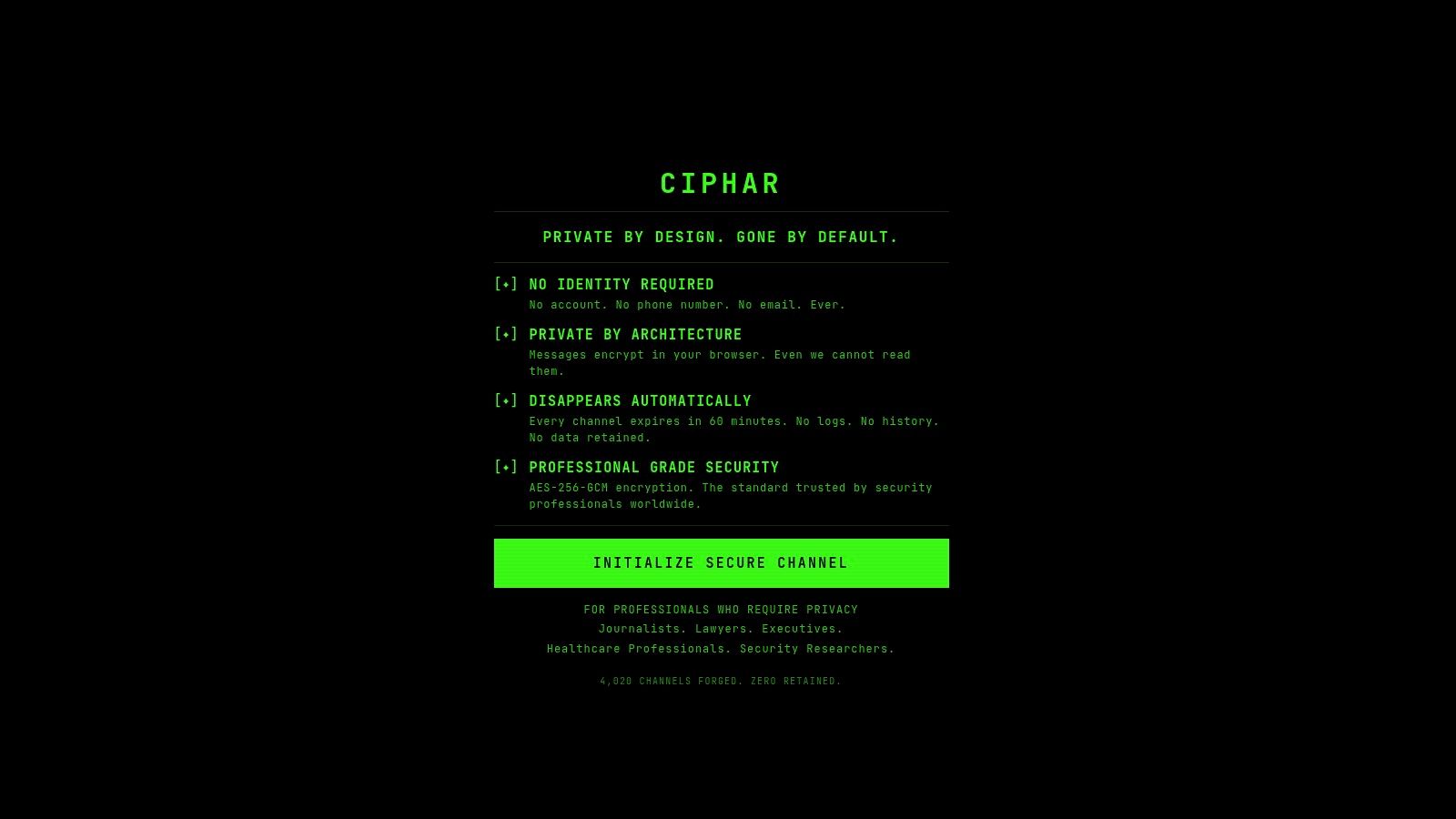
Ciphar provides browser-based encrypted channels for short, identity-free conversations, with client-side message protection, access-key verification, and enforced self-destruction after the channel lifetime ends. Visit Ciphar to see how its workflow handles key derivation, secure reading, verification, and channel expiry in practice.